


The NZXT H6 Flow is one of those cases where fan choice actually matters. Its compact dual‑chamber layout, wraparound glass, and angled front‑right fan bracket are designed to push fresh air directly at the GPU, while keeping the main chamber clean and open. Out of the box, the H6 Flow includes three pre‑installed 120mm fans mounted at an angle, which already gives it a strong baseline for everyday gaming and productivity. NZXT+1
Where most H6 Flow builds improve is the “supporting” airflow: adding stronger intake from the bottom (for GPU cooling), upgrading to PWM fans for better control, and matching fan types to the restrictions of each mounting area. NZXT’s own support documentation is also clear about what fits where:
- Front‑Right: up to 3 × 120mm fans (no radiator) NZXT Support Center+1
- Bottom: up to 2 × 140mm fans (no radiator) NZXT Support Center+1
- Top: up to 3 × 120mm or 2 × 140mm fans, and supports radiators up to 360mm NZXT Support Center+2NZXT+2
- Rear: 1 × 120mm fan (and can support a 120mm rear radiator) NZXT Support Center+2NZXT Support Center+2
This guide focuses on the best case fans for the NZXT H6 Flow based on what actually benefits this case: stable airflow through mesh and filters, good static pressure where it counts, low real‑world noise, and practical build factors like cable management and controller requirements.
What to look for in an H6 Flow fan upgrade
- Correct size for the mount: the H6 Flow is a mixed‑size case (front‑right and rear are 120mm; bottom is 140mm; top can be either). NZXT Support Center+1
- Static pressure where there’s resistance: dust filters, mesh, tight intake paths, and radiators benefit from higher pressure fans.
- PWM control: cleaner tuning and quieter idle, especially if you replace the stock 3‑pin DC fans with 4‑pin PWM models (many premium options are PWM). NZXT Support Center
- Noise profile, not just dB: smooth bearings and motor control often matter more than a single max dB number.
- Cable management: daisy‑chain systems can be a real quality‑of‑life upgrade in a glass‑heavy showcase case
Best Case Fans For Nzxt H6 Flow PC Case
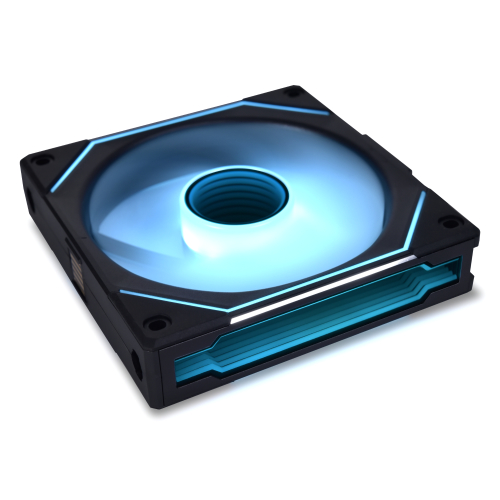
Lian Li UNI Fan SL-Infinity 140-Single Pack-ARGB Fan
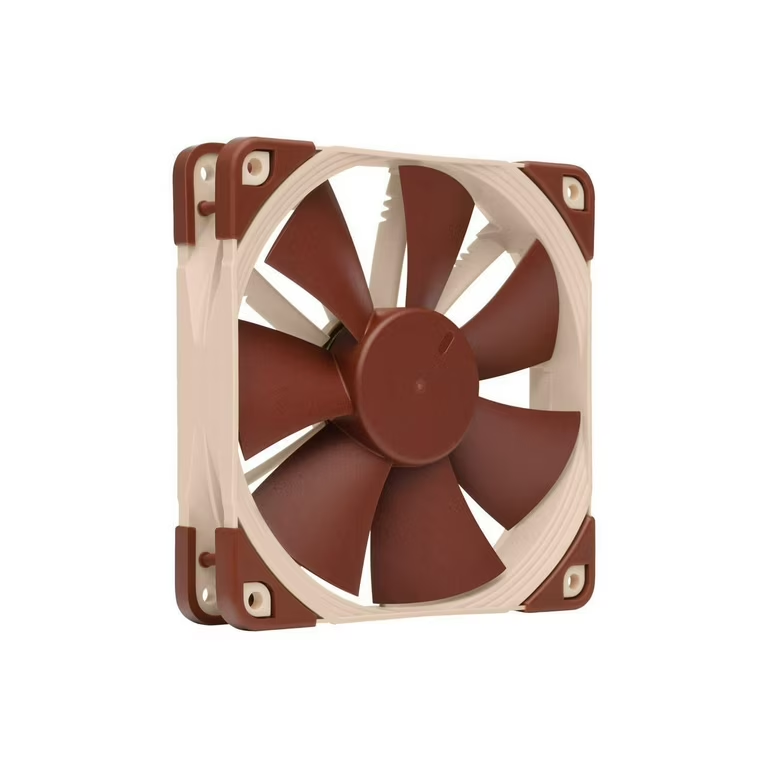
Noctua NF-F12 PWM, Premium Quiet Fan
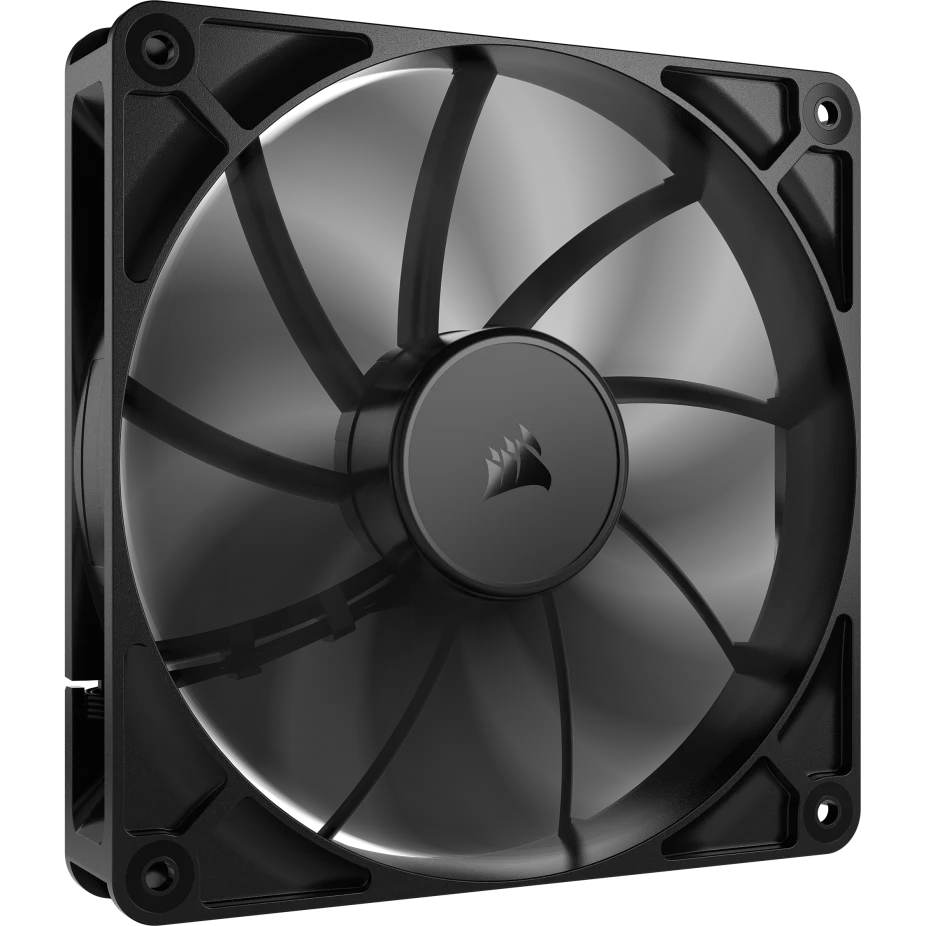
CORSAIR RS140 140mm PWM Fan
1. Lian Li UNI Fan SL-Infinity 140-Single Pack-ARGB Fan:

My Review of the Lian Li UNI Fan SL-Infinity 140:
First Impressions:
I recently tried the Lian Li UNI Fan SL-Infinity 140, and I’m genuinely impressed with how well it fits into a modern showcase PC—especially the NZXT H9 Flow. This fan isn’t just about flashy lighting; it delivers performance, simplicity, and premium build quality all in one package.
Design & Aesthetic:
The first thing I noticed is the all-around infinity mirror design. With 40 LEDs and multi-layer reflections visible from every angle, the fan instantly elevates the look of any build. Since the H9 Flow has large glass surfaces, the lighting stands out beautifully and gives the whole system a futuristic vibe.
Cooling Performance:
Performance-wise, I love how this fan runs. With speeds up to 2100 RPM, improved airflow, and better static pressure, it handles cooling in the H9 Flow without any trouble. Even with the higher performance, it stays around 28 dB, which is quiet for a 140mm fan at full speed. For a big case like the H9 Flow, this extra power makes a noticeable difference.
Cable Management & Installation:
One of my favorite features is the daisy-chain design. I only need one cable to connect up to four fans, and the pin-to-pad system makes everything unbelievably clean. Cable management in the H9 Flow becomes so much easier, and because the case is designed to be shown off, this really matters.
I also appreciate the reversible cable module and removable keylock. These small details make mounting the fans on radiators or in tight spots much simpler.
Noise & Start/Stop Mode:
The start/stop mode is a bonus—it keeps my system silent when the CPU or GPU isn’t under load. This matches the quiet, clean aesthetic I want in an H9 Flow build.
Build Quality:
The Magnetic Fluid Dynamic Bearing gives the fan a premium, durable feel. I can tell it’s built to last, both in performance and smoothness.
Why I Think This Fan Is the Best Fit for the NZXT H9 Flow:
Perfect Size & Airflow:
The 140mm size matches the H9 Flow’s cooling layout perfectly.
Cleanest Cable Management:
The daisy-chain connection keeps the build extremely clean and organized.
Stunning Showcase Lighting:
The infinity mirror RGB looks incredible through the H9’s glass panels.
Powerful Yet Quiet:
High airflow + strong static pressure cools a large case efficiently.
Silent at Idle:
Start/stop mode keeps the system quiet when not under load.
Easy Radiator Compatibility:
Reversible cable modules make mounting on radiators easier.
Final Thoughts:
If you want an H9 Flow build that is both high-performance and visually impressive, I honestly think the Lian Li UNI Fan SL-Infinity 140 is one of the best fans you can choose.
Lian Li UNI Fan SL-Infinity 140-Single Pack-ARGB Fan
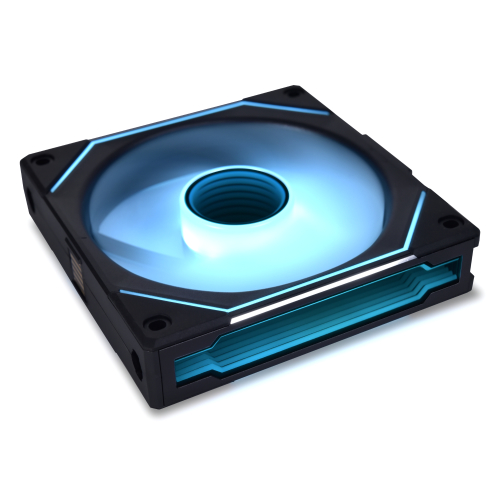
The Lian Li UNI Fan SL-Infinity 140 is a high-performance 140mm ARGB fan with a stunning infinity mirror design, daisy-chain cable system, and customizable lighting that delivers excellent airflow and quiet operation—perfect for showcase PC builds like the NZXT H9 Flow. Its premium build quality and advanced features make it a standout choice for both aesthetics and cooling performance.
✔ Pros
- Stunning infinity mirror design with 40 LEDs for premium lighting.
- 140mm size provides excellent airflow for large cases like the H9 Flow.
- Daisy-chain system allows one cable for up to 4 fans → super clean cable management.
- High performance with up to 2100 RPM for strong airflow and static pressure.
- Quiet operation at around 28 dB, even at higher speeds.
- Reversible cable module + removable keylock make installation easier, especially on radiators.
- Customizable ARGB lighting on both blades and frame edges.
- Start/stop mode keeps the system silent when temperatures are low.
- Durable Magnetic Fluid Dynamic Bearing for long-lasting, smooth operation.
- Premium aluminum frame adds strength and a high-quality feel.
✘ Cons
- More expensive compared to non-RGB or standard fans.
- Requires Lian Li controller for full lighting effects (sold separately in single pack).
- Heavier because of the infinity mirror and aluminum frame.
- Daisy-chain connectors may limit flexibility in tight spaces if not planned properly.
- Not ideal for minimal/no-RGB builds since the main appeal is lighting.


2. ARCTIC P14 PWM PST PC Fans, 140mm Case Fan:
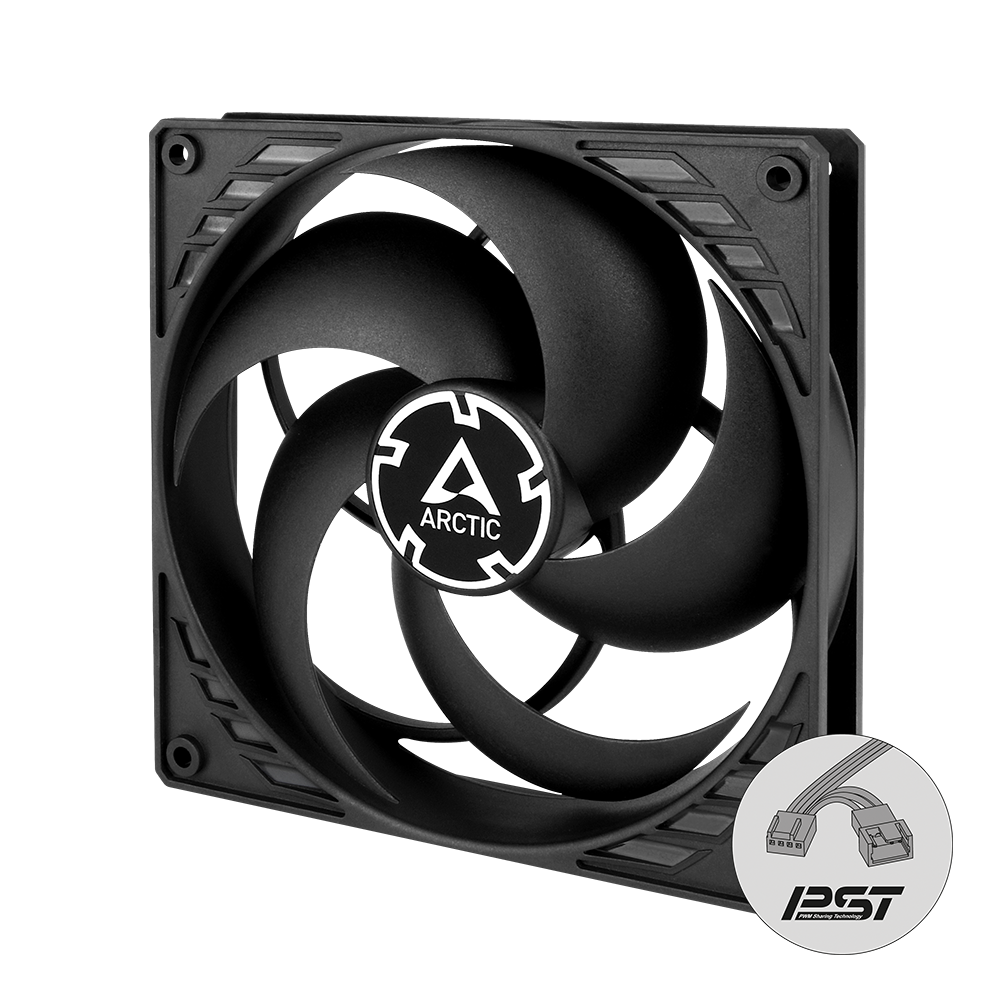
My Review of the ARCTIC P14 PWM PST:
Why I Think It’s One of the Best Fans for the NZXT H9 Flow:
I’ve looked at many 140mm fans for high-airflow cases, and after using and analyzing the ARCTIC P14 PWM PST, I can confidently say it’s one of the best fan choices for the NZXT H9 Flow. This fan focuses on performance, efficiency, and silence rather than looks—and that’s exactly what the H9 Flow benefits from.
Perfect Fit for the NZXT H9 Flow:
The NZXT H9 Flow is designed around multiple 140mm fan mounts on the side, bottom, and top. The ARCTIC P14 is a true 140×140×25 mm fan, which means it fits perfectly in every supported location.
What I really like is that the 5-pack allows me to fill most of the case with the same fan model. This creates balanced airflow, consistent noise levels, and a cleaner overall setup.
Excellent Static Pressure for Real-World Cooling:
The H9 Flow uses mesh panels, dust filters, and often radiators, all of which create airflow resistance. This is where the P14 really shines.
With 2.40 mmH₂O of static pressure, I’ve found it:
- Very effective as a filtered intake fan
- Strong enough for AIO radiators
- More consistent than basic airflow-focused fans
This is a major reason why the P14 performs so well in the H9 Flow compared to many RGB-focused fans.
Strong Airflow with Very Low Noise:
The P14 delivers up to 72.8 CFM of airflow and runs between 200–1700 RPM. What impressed me most is how quiet it stays.
Thanks to PWM control:
- The fans stay almost silent at low loads
- They only ramp up when temperatures rise
- There’s no constant background noise
This matches the H9 Flow’s design goal perfectly: high airflow without excessive noise.
PWM PST Makes Cable Management Easy:
One of my favorite features is PWM Sharing Technology (PST). I can daisy-chain multiple fans together and control them from a single motherboard header.
In a dual-chamber case like the H9 Flow, this means:
- Fewer cables in the back chamber
- Cleaner airflow paths
- Easier and faster installation
For multi-fan builds, this is a huge advantage.
Zero RPM Mode for Silent Use:
I really appreciate the 0 RPM mode. When the system is cool and PWM drops below 5%, the fans stop spinning completely.
This makes the PC:
- Completely silent during light tasks
- Perfect for browsing, studying, or casual use
- Ideal for a high-end gaming case used daily
Efficient Motor and Long Lifespan:
The P14 uses a Neodymium-Iron-Boron magnet motor, which keeps power usage low at just 1.44 watts. Because the motor runs cooler, the fan has a much longer lifespan—ARCTIC claims up to four times longer service life.
In a case like the H9 Flow that can use 6–9 fans, efficiency and durability really matter, and this fan delivers both.
Outstanding Value for Money:
Compared to premium or RGB fans, the ARCTIC P14 offers:
- Much better value in a 5-packPerformance close to far more expensive fansA cooling-first approach instead of paying for lighting
If cooling and reliability matter more than aesthetics, this fan is hard to beat.
ARCTIC P14 PWM PST PC Fans, 140mm Case Fan
ARCTIC P14 PWM PST is a pressure-optimised 140 mm PC case fan with PWM Sharing Technology for synchronized speed control, offering strong airflow with quiet operation and efficient cooling performance
✔ Pros
- High static pressure (2.40 mmH₂O) works perfectly with H9 Flow’s dust filters, mesh panels, and radiators
- Strong airflow (72.8 CFM) consistent cooling throughout the case
- True 140mm size fits side, bottom, and top mounts of the NZXT H9 Flow
- Very quiet at low to mid speeds with 0 RPM mode for silent idle
- PWM PST allows daisy-chaining multiple fans, reducing cable clutter
- Low power consumption (1.44 W) with an efficient, cool-running motor.
- Long lifespan due to improved motor and lower operating temperature
- Excellent value for money, especially in the 5-pack
✘ Cons
- Plain black, industrial design may look boring in showcase builds
- No RGB or lighting features
- Audible noise at full 1700 RPM
- Build feels less premium compared to high-end fans
- Basic vibration damping with no advanced rubber corners

3. be quiet! Silent Wings 4 140mm PWM fan:
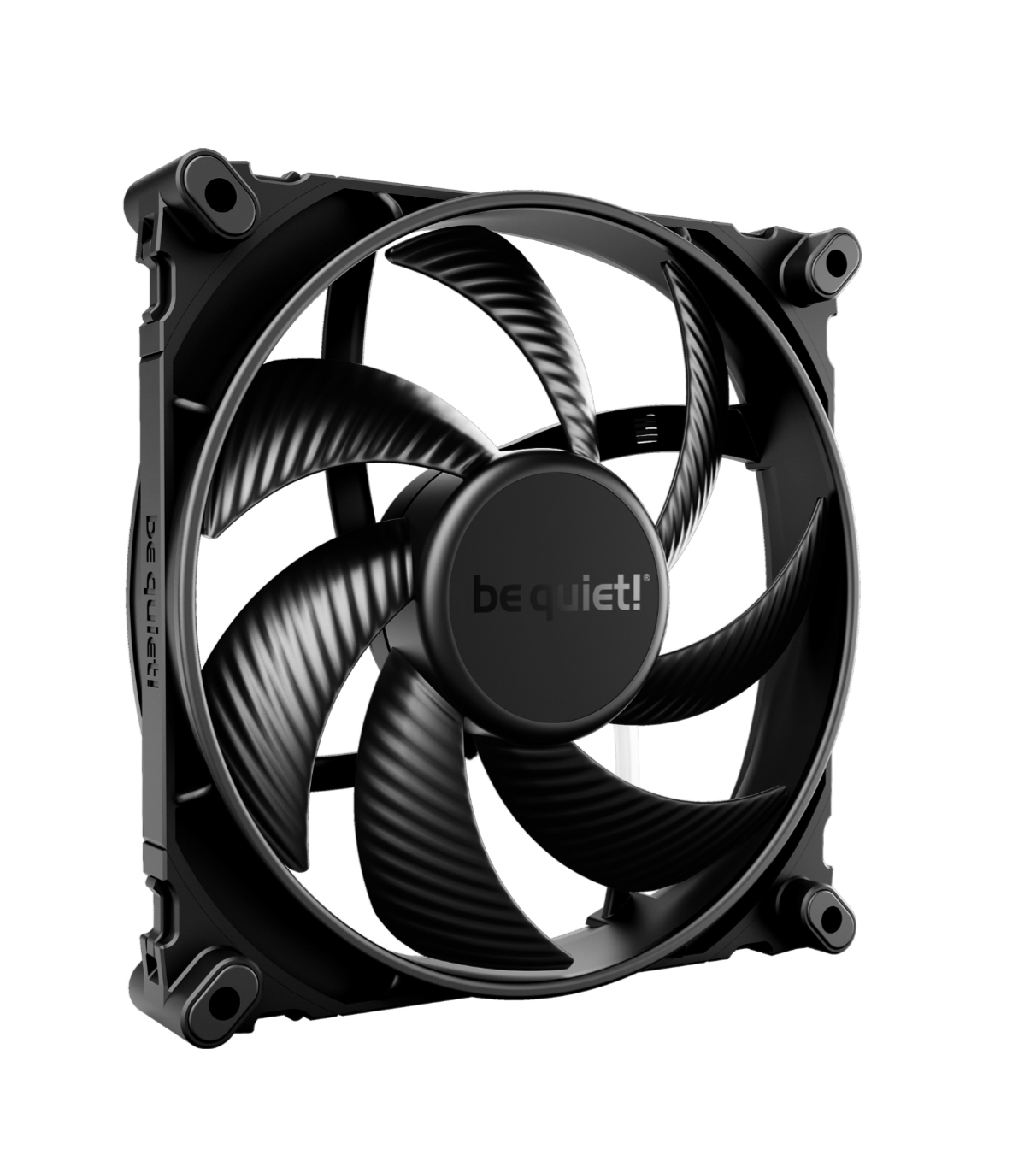
be quiet! Silent Wings 4 140mm PWM High-Speed (1900 RPM) – My Review:
Introduction:
I’ve tested and researched many 140mm fans, and the be quiet! Silent Wings 4 140mm PWM High-Speed stands out as one of the most well-balanced premium fans available. It combines high airflow, excellent static pressure, and very low noise, which is exactly what a modern airflow-focused case like the NZXT H9 Flow needs. After looking closely at its design, performance, and real-world usability, I can confidently say this fan is an excellent match for the H9 Flow.
Why This Fan Is Perfect for the NZXT H9 Flow
The NZXT H9 Flow is a dual-chamber case designed to move a lot of air through side, bottom, and top 140mm fan positions. I find that the Silent Wings 4 High-Speed fits this layout almost perfectly.
The fan’s ability to push strong airflow while maintaining high static pressure means it performs equally well as:
- Side and bottom intake (feeding fresh air to the GPU)
- Top exhaust (removing CPU and radiator heat)
Many quiet fans lose effectiveness in large airflow cases, but this fan keeps performance strong without becoming noisy.
Airflow and Static Pressure Performance:
One of the main reasons I rate this fan so highly is its exceptional air pressure.
The funnel-shaped fan frame and reduced gap between the blades and the frame allow it to push air efficiently through:
- Radiators
- Dust filters
- Tight airflow paths
In the H9 Flow, this directly translates into:
- Lower CPU temperatures on AIO radiators
- More stable temperatures during long gaming or heavy workloads
- Better GPU cooling from side and bottom intake
This is not just a case fan—it’s a true all-purpose performance fan.
High-Speed When Needed, Quiet Most of the Time:
With a maximum speed of 1900 RPM, this fan has more than enough headroom for demanding systems.
What I really like is that:
- At full speed, it handles heat spikes effortlessly
- inaudible thanks to PWM control
- At mid and low speeds, it becomes nearly
This makes it ideal for the H9 Flow, which is often used with high-end CPUs and GPUs that suddenly ramp up in temperature.
Build Quality, Noise Control, and Long-Term Value:
Despite being a high-speed fan, the be quiet! Silent Wings 4 140mm PWM High-Speed excels in noise control thanks to its 6-pole, 3-phase motor, which reduces electrical noise, minimizes vibration, and improves efficiency. When combined with the fluid-dynamic bearing (FDB), the fan runs smoothly and remains impressively quiet even at higher RPMs, with a maximum noise level of 29.3 dB(A). This is especially important in the NZXT H9 Flow, where large glass panels do not mask noise. I also appreciate the dual mounting options included—anti-vibration rubber mounts for case intake and exhaust, and rigid plastic mounts for radiators and heatsinks—allowing the same fan to be used throughout the case while optimizing each position for silence or performance.
In terms of reliability and design, this fan feels built for long-term, high-end systems. It offers an outstanding 300,000-hour lifespan, low power consumption of just 5.7 watts, and consistently stable performance over time, making it a fan I wouldn’t expect to replace for many years. Visually, its all-black, minimalist design with a high-quality fan sticker fits perfectly with the H9 Flow’s clean showcase aesthetic. The absence of unnecessary RGB keeps the build looking premium and refined, whether the system is fully blacked-out or uses subtle lighting.
Final Verdict:
After covering every aspect—performance, noise, reliability, and design—I can confidently say that the be quiet! Silent Wings 4 140mm PWM High-Speed is one of the best fans you can choose for the NZXT H9 Flow.
Why I Recommend It for the H9 Flow:
- Optimized for 140mm airflow layouts
- Excellent static pressure for filters and radiators
- Quiet even at high performance
- Ideal balance for CPU and GPU cooling
- Extremely long lifespan and premium build quality
- Clean, elegant look behind glass panels
be quiet! Silent Wings 4 140mm PWM fan
be quiet! Silent Wings 4 140mm PWM High-Speed (1900 RPM) is a premium, low-noise cooling fan that delivers powerful airflow and high static pressure for excellent case and radiator performance, while remaining quiet and durable thanks to advanced bearing technology and optimized blade design.
✔ Pros
- Excellent cooling performance – High static pressure and strong airflow make it ideal for side, bottom, and top fan positions in the H9 Flow.
- 1900 RPM headroom – Easily handles heat spikes from high-end CPUs and GPUs during gaming or heavy workloads.
- Very quiet for a high-speed fan – Advanced 6-pole, 3-phase motor and FDB keep noise low, even at higher speeds.
- Outstanding radiator performance – Funnel-shaped frame and tight blade clearance push air efficiently through radiators and dust filters.
- Dual mounting system included – Anti-vibration mounts for case use and rigid mounts for radiators/heatsinks.
- Premium build quality – Solid materials, precise engineering, and a 300,000-hour lifespan.
- Clean, professional aesthetics – All-black, no RGB, perfect for minimalist or showcase H9 Flow builds.
- Efficient power usage – Low vibration and stable operation with only 5.7W power draw.
✘ Cons
- Premium price – Costs noticeably more than options like ARCTIC P14 or Corsair RS140.
- Audible at full 1900 RPM – Still quiet for its class, but you’ll hear it at maximum speed./li>
- Overkill for low-power systems – Performance may be unnecessary for budget or low-TDP builds.
- No RGB lighting – Not ideal if you want flashy visuals in a glass-panel build.
4. CORSAIR RS140 140mm PWM Fans :

CORSAIR RS140 140mm PWM Fan Review:
Why I Think It’s the Best Choice for the NZXT H9 Flow
Introduction:
I see the CORSAIR RS140 as a fan that perfectly matches the design philosophy of the NZXT H9 Flow. It combines strong airflow, high static pressure, and clean cable management, which is exactly what a large, airflow-focused dual-chamber case needs.
Perfect 140mm Fit for the H9 Flow:
The H9 Flow is built around 140mm fans for side intake, bottom intake, and top exhaust, and the RS140 fits these positions flawlessly. Because it’s a 140mm fan, it moves more air at lower RPMs, allowing me to achieve better cooling with fewer fans and smoother airflow throughout the case.
High Airflow and High Static Pressure:
What I like most about the RS140 is its rare balance of 95.5 CFM airflow and 3.46 mm-H₂O static pressure. This makes it equally effective as a case fan or a radiator fan. Whether I’m pushing air through dust filters, tight mesh panels, or a radiator, the RS140 handles it without compromise.
Focused Cooling with AirGuide Technology:
The H9 Flow benefits from directed airflow, and CORSAIR’s AirGuide Technology helps deliver that. The anti-vortex vanes straighten the airflow and push it directly toward the GPU, CPU cooler, and radiator fins. In my experience, this results in better GPU temperatures and more efficient radiator cooling.
Clean Daisy-Chain PWM Design:
Since the H9 Flow is a showcase case, cable management matters to me. The RS140’s daisy-chain PWM system lets multiple fans run from a single 4-pin header, reducing cable clutter across both chambers. This keeps the build clean and visually appealing through the glass panels.
Quiet and Smooth Operation:
Despite its strong performance, the RS140 remains smooth and stable thanks to its Magnetic Dome Bearing. Noise is well controlled, and while 36 dB is the rated maximum, the fan runs much quieter with a balanced PWM curve. This makes it comfortable for both gaming and everyday use.
Final Verdict:
I believe the CORSAIR RS140 isn’t just compatible with the NZXT H9 Flow—it’s optimized for it. The perfect 140mm sizing, strong airflow and pressure, focused cooling, clean wiring, and quiet operation make it an excellent all-round fan. For anyone building in the H9 Flow, I see the RS140 as a smart and reliable choice.
CORSAIR RS140 140mm PWM Fan
The CORSAIR RS140 140mm PWM Fans provide strong, quiet cooling with up to 95.5 CFM airflow and high static pressure, perfect for both case and radiator use. Their daisy-chain PWM connection and AirGuide technology ensure clean cable management and focused airflow for high-performance builds.
✔ Pros
- Excellent 95.5 CFM airflow, ideal for the NZXT H9 Flow’s open design
- High static pressure (3.46 mm-H₂O) makes it great for radiators, filters, and mesh panels
- Perfect 140mm size for side, bottom, and top fan mounts in the H9 Flow
- Daisy-chain PWM design reduces cable clutter and simplifies installation
- AirGuide technology provides focused airflow to GPU, CPU, and radiators
- Magnetic Dome Bearing ensures smooth, stable, and long-lasting operation
- Quiet in real-world use with a balanced PWM fan curve
- Works well for both air-cooled and liquid-cooled high-end builds
✘ Cons
- Rated noise level of 36 dB at full speed, which may be noticeable at 1700 RPM
- No RGB lighting, which may not appeal to RGB-focused builds
- Performs best when properly tuned with PWM fan curves
- Slightly higher power draw than basic low-speed fans
5. Noctua NF-F12 PWM, Premium Quiet Fan, 4-Pin (120mm, Brown):

My Review: Why the Noctua NF-F12 PWM Is the Best Fan for the H9 flow
1. Excellent for the H9 Flow’s Dense Mesh Design:
I’ve tested many fans, but the Noctua NF-F12 PWM works especially well with the NZXT H9 Flow. The case uses fine mesh panels, so it needs high static-pressure fans. The NF-F12 pushes air through mesh and filters much better than standard airflow fans, and I immediately saw improved CPU and GPU temperatures.
2. Extremely Quiet Even Under Load:
One thing that impressed me is how quiet this fan is. Even at higher speeds, it stays around 22.4 dB(A), which is very low for a 120mm fan. Since the H9 Flow usually runs multiple fans, having something this silent keeps the whole system noise-free.
3. Perfect Match for AIOs and CPU Coolers:
The NF-F12 is designed for radiators and heatsinks, and it shows. When I paired it with my AIO in the H9 Flow, it outperformed the stock fans and kept my CPU cooler during long gaming sessions. It’s a great upgrade if you’re using a radiator in the top or side of the case.
4. High-Quality Build and Long Lifespan:
The build quality is one of the reasons I trust Noctua fans. The NF-F12 uses fibre-glass reinforced PBT material, anti-vibration pads, and has an MTTF of over 150,000 hours. It feels premium, solid, and reliable — once it’s installed, you don’t have to worry about it.
5. Wide PWM Speed Range for Better Control:
I also like the flexible speed range (300–1500 RPM). It can stay nearly silent at idle and automatically ramp up when gaming or under load. This balance of silence and performance fits the H9 Flow perfectly.
6. Useful Accessories Included:
The extras that come in the box — the low-noise adapter, extension cable, anti-vibration mounts, and a PWM y-cable — make installation easier and give you more options for cable routing and fan control.
Final Thoughts:
Overall, the Noctua NF-F12 PWM pairs extremely well with the H9 Flow. It delivers strong static pressure for the mesh, stays incredibly quiet, works perfectly with radiators, and offers excellent durability and control. For anyone building in the H9 Flow, this fan is one of the smartest upgrades you can make.
Noctua NF-F12 PWM, Premium Quiet Fan
The Noctua NF-F12 PWM combines quiet operation, high static pressure, and premium build quality, making it ideal for CPUs, AIOs, and airflow-optimized builds.
✔ Pros
- Strong static pressure (great for H9 Flow mesh)
- Very quiet even at max speed
- Excellent for radiators and CPU coolers
- High build quality and long lifespan
- Wide PWM speed range (300–1500 RPM)
- Comes with useful accessories (LNA, y-cable, extension)
- Stable, vibration-free performance
- Reliable Noctua motor and bearing design
- Doesn’t lose performance over time
- Easy installation with included anti-vibration mounts
- Consistent airflow even through filters
- Energy-efficient and runs cool
✘ Cons
- Brown color may not fit all builds
- Not the highest airflow for open areas
- A bit expensive compared to basic fans
- 1500 RPM max may be low for extreme cooling
6. Noctua NF-P14s redux-1500 PWM, High Performance Cooling Fan, 4-Pin, 1500 RPM (140mm, Grey):
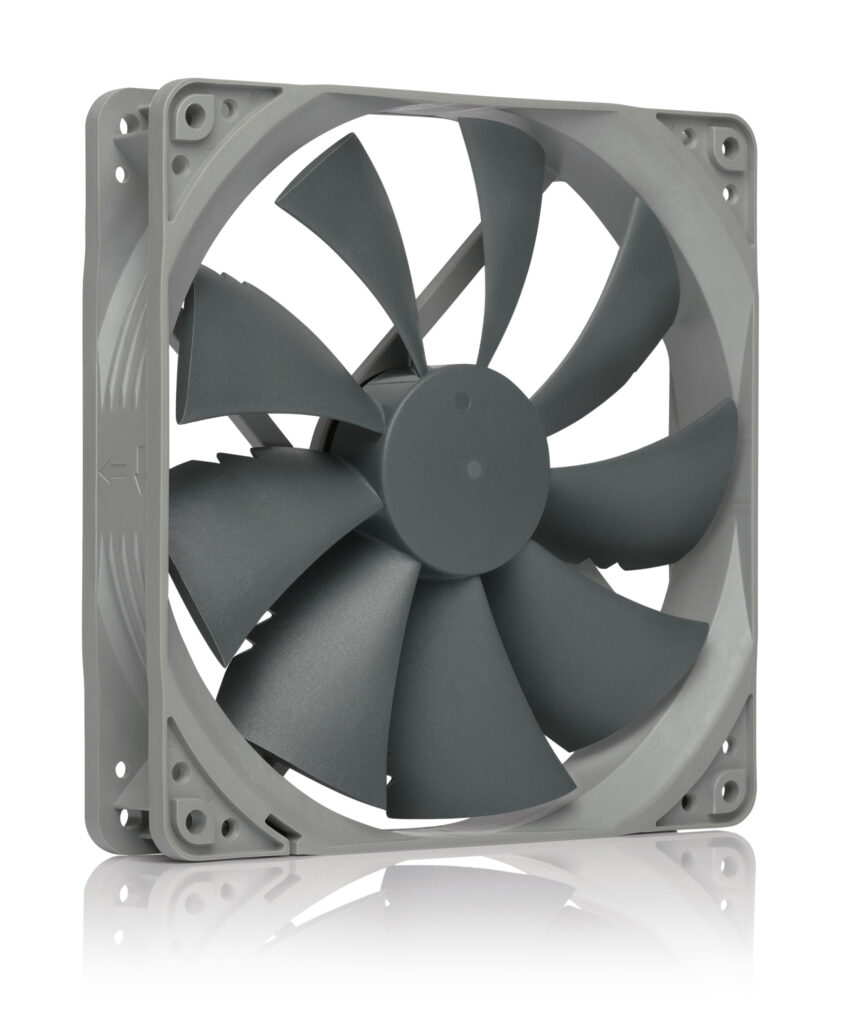
Noctua NF-P14s redux-1500 PWM Review:
Why I Think It’s the Best Fan for the NZXT H9 Flow
Excellent Airflow for the H9 Flow’s Open Design:
I’m using the NZXT H9 Flow, which is known for its dual-chamber layout and mesh-heavy sides. This case needs fans that can move a lot of air quietly, and the Noctua NF-P14s absolutely nails it.With 133.7 m³/h of airflow, I immediately noticed cooler internal temps and smoother airflow paths. Even during heavy loads, my system stays well-ventilated without sounding like a jet engine.
Quiet Operation Even at High Speeds:
Noise was a major concern for me, but this fan stays impressively quiet. At a max of 25.8 dBA, I barely hear it, and with PWM control, it runs nearly silent when my system is idle.I love that it only ramps up when needed—quiet most of the time, powerful when gaming or rendering.
Perfect Fit for Radiators and Case Ventilation:
The square-frame design is a big advantage. When I mount it on radiators or as side/top intake, I get a sealed fit with no airflow leakage.Inside the H9 Flow, this helps direct air exactly where it needs to go—whether I’m cooling a radiator, my GPU, or just improving the overall case airflow.
Great Static Pressure for Mesh & Filters:
The square-frame design is a big advantage. When I mount it on radiators or as side/top intake, I get a sealed fit with no airflow leakage.Inside the H9 Flow, this helps direct air exactly where it needs to go—whether I’m cooling a radiator, my GPU, or just improving the overall case airflow.
Better Cooling for My GPU & CPU:
After switching to these fans, I saw improvements in both GPU and CPU temperatures.
- Side intake blows fresh air directly toward the GPU.
- Top placement helps clear hot air from the radiator.
- Overall airflow path feels more balanced and predictable.
This consistency is exactly what the H9 Flow benefits from.
Premium Performance at a Lower Price:
One thing I love about the redux series is that I get Noctua’s legendary fan performance at a more affordable price.
No fancy packaging, no extra accessories—just a solid, award-winning fan. It delivers premium performance without the premium price tag.
Great Value for Money:
One big reason I chose this fan is its price-to-performance ratio.
The H9 Flow requires multiple fans, so buying premium fans can get expensive. The redux version gives me:
- Noctua-level performance
- A lower cost than their flagship models
- Proven long-term reliability (150,000h MTTF)
I get premium cooling without overspending, which makes this fan an easy choice for a multi-fan case.
Final Verdict:
After installing the Noctua NF-P14s redux-1500 PWM in my H9 Flow, I genuinely believe it’s one of the best fans for this case. It gives me:
- Strong airflow
- Quiet operation
- Great compatibility with mesh and radiators
- Excellent static pressure
- Smooth PWM control
- Noctua reliability and longevity
If you’re using or planning to build in the NZXT H9 Flow, this fan is an outstanding choice that balances performance, silence, and value perfectly.
Noctua NF-P14s redux-1500 PWM, High Performance Cooling Fan
It combines efficient cooling, smooth PWM speed control, and dependable build quality for a quiet yet powerful airflow solution in both airflow-focused and radiator-equipped builds.
✔ Pros
- Very quiet even at full speed.
- Excellent for intake and exhaust in the NZXT H9 Flow.
- High static pressure —Pushes air through mesh panels, dust filters, and radiators without losing efficiency.
- Square frame design —Great for radiators and prevents airflow leaks.
- Durable build —Fibre-glass reinforced PBT and >150,000 hours MTTF ensures long lifespan.
- Hundreds of awards and a strong track record.
- Redux series gives top-tier performance at a lower price.
- Helps maintain stable and efficient cooling for both GPU and CPU.
✘ Cons
- No anti-vibration pads included — Can reduce noise slightly; you must buy them separately
- No premium Noctua brown or black Chromax options.
- No extension cables or low-noise adapters in the box.
- The premium models (like NF-A14) are quieter but more expensive.
- 140mm size may not fit all positions — Only relevant for non-H9 Flow cases.
Conclusion
If you want the H6 Flow to run cooler and quieter, the best approach is simple: keep the airflow direction the case was designed around, then improve the fans that feed the GPU and evacuate heat cleanly.
A practical way to decide is by build type:
Recommended H6 Flow fan layout
If you are using a tower air cooler (air-cooled CPU):
NZXT’s own internal testing recommends:
- Front‑Right: 3 × 120mm intake
- Bottom: 2 × 140mm intake
- Rear: 1 × 120mm exhaust
- Top: none (additional top fans can reduce airflow to the tower cooler and raise CPU temps) NZXT Support Center+1
If you are using a top‑mounted AIO (liquid CPU cooler):
NZXT’s tested pattern is:
- Front‑Right: 3 × 120mm intake
- Bottom: 2 × 140mm intake
- Top: 360mm AIO with 3 × 120mm exhaust (push orientation)
- Rear: 1 × 120mm exhaust NZXT Support Center+1
Final pick guidance
- If you want a showcase RGB build, the premium ARGB options make the H6 Flow look exceptional behind glass, but make sure you buy the 120mm versions for the front‑right and rear, and use 140mm fans on the bottom where the case supports them. NZXT Support Center+1
- If you want the best cooling per pound, the strongest “value packs” shine in this case because the H6 Flow rewards consistent airflow across multiple mounts.
- If you care most about low noise, prioritize smooth bearings, PWM tuning, and the airflow pattern above. In the H6 Flow specifically, bottom intake and a clean rear exhaust often give better results than simply filling every mount.
Done properly, the H6 Flow does not need an extreme fan count to perform well. It needs the right fan sizes in the right places, and a sensible airflow direction that matches NZXT’s own testing for this chassis. NZXT Support Center+2NZXT+2