
Why These Are the Best 1440p Gaming Monitors of 2025
Choosing the right 1440p gaming monitor has become harder than ever in 2025. With so many brands advertising high refresh rates, “HDR,” and “gaming-grade” features, it can be overwhelming to know what actually delivers real performance and what’s just marketing. That’s exactly why this guide exists — to save you hours of confusion and help you confidently pick a monitor that truly gives you the best gaming experience for your money.
Every monitor in this list has been personally tested hands-on, not just judged by spec sheets. We spent hours gaming, comparing colors, checking motion clarity, evaluating VRR performance, testing responsiveness, running productivity tasks, and analyzing build quality. Only the monitors that consistently proved themselves in real-world use made it into this list.
What makes our picks the best?
• They offer real high-end performance — ultra-smooth 1440p gaming with fast IPS or VA panels that show crisp detail, vibrant color, and excellent motion clarity.
• They deliver outstanding value — each monitor outperforms other models in its price range, giving you features normally found on more expensive displays.
• They have been tested across different genres — shooters, RPGs, racing games, esports titles — to ensure they perform well in all gaming scenarios, not just ideal ones.
• They provide a genuine upgrade — sharper resolution than 1080p, smoother motion than cheap 144Hz panels, and far better immersion for both gaming and everyday use.
• They offer strong reliability — from build quality to stand stability to warranty support, every pick is a monitor you can depend on for years.
Whether you’re a competitive FPS player who needs ultra-fast response, an open-world explorer who wants rich colors and deep immersion, or someone who wants the perfect blend of gaming and productivity, this list gives you the best options available today.
Our goal:
Our goal is simple to give you unbiased, accurate, and experience-backed recommendations so you can spend your money wisely and get a monitor you’ll love every single day.
These aren’t just “good” monitors — these are the monitors that proved themselves through hands-on testing. And by the end of this guide, you’ll know exactly which one is right for you.
Buyer’s Guide — What to Look For in a 1440p Gaming Monitor (Deep, Actionable, 2025)
1) Resolution vs refresh — the practical balance
- 1440p (2560×1440) is the sweet spot in 2025: visibly sharper than 1080p while still achievable by modern GPUs at high refresh rates.
- Prioritize refresh rate only if your GPU can deliver high frame rates at QHD. For competitive players with GPUs like RTX 4070/4070 Ti and above, aim for 144–240Hz. For mid-range GPUs, 144–165Hz is excellent value.
2) Panel type — IPS vs VA vs Fast IPS
- Fast IPS: best overall for competitive gaming + color accuracy; low ghosting, excellent color (many picks use this).
- VA: stronger native contrast and deep blacks — good for immersion on larger curved panels, but sometimes smearing at very high motion.
- For mixed use (games + content creation), Fast IPS gives the best compromise.
3) Response time & motion clarity
- Look for 1ms GtG or 1ms MPRT if you want minimal blur. But also check independent tests for actual motion clarity — marketing numbers vary.
- Features like ELMB/ULMB or motion blur reduction help in fast-action games — choose a monitor that supports VRR + blur reduction simultaneously (ELMB Sync style) if possible.
4) VRR & compatibility (G-SYNC / FreeSync)
- Variable refresh is essential. Choose monitors tested as G-SYNC Compatible or with wide-range FreeSync. This eliminates tearing and reduces stutter.
- If you use NVIDIA GPUs, ensure the monitor is validated for G-SYNC compatibility or has proven user reports.
5) HDR — realistic expectations
- HDR at this price is mostly HDR400 or HDR10; it improves highlights and contrast but is not full local-dimming HDR. For real HDR depth you need high-end VA/mini-LED panels (expensive).
- Treat HDR as a quality boost, not a headline feature unless the monitor has local dimming + high nit peak.
6) Color gamut & factory calibration
- Look for at least 95–130% sRGB coverage (or 95% DCI-P3 for content creators).
- Monitors that ship well-calibrated out of the box save your readers time — mention if a model comes with factory calibration report.
7) Input options & future-proofing
- DisplayPort 1.4 or DP 2.0 (if available) is important for high refresh at 1440p. HDMI 2.1 is valuable for consoles (PS5/PS5 Pro / Xbox Series X/S).
- USB-C with DP Alt Mode is a huge plus for laptop users (single cable docking).
- Built-in USB hub and PD charging increase daily convenience.
8) Ergonomics & stand options
- Height adjust, swivel, tilt, and VESA mountability are must-haves for prolonged sessions. Fixed stands are cheaper but reduce flexibility.
- Curved panels (1000R) increase immersion — great for single display setups, less ideal for multi-monitor productivity.
9) Build, warranty & support
- Prefer 3-year warranty or strong regional support. Gaming use stresses hardware; a good warranty is a trust signal.
- Look for user-replaceable parts (rare for monitors) or easy RMA procedures.
10) Real-world performance checks before buying (buyer checklist)
- Check independent motion tests (RTINGS, Practical reviews) for ghosting and overshoot.
- Confirm VRR compatibility with your GPU.
- Read user reports for backlight bleed and panel uniformity — these are common real-life issues.
- If possible, buy from a retailer with a solid return policy (7–30 days).
11) Price-to-performance — is it worth upgrading?
- If you’re on 1080p/144Hz and have a GPU capable of QHD, upgrade to 1440p/144–180Hz for a huge visual step.
- If your GPU struggles to hit high FPS at 1440p, consider a higher-refresh 1080p panel or a midrange GPU first.
1. ASUS TUF Gaming 27” 1440P HDR Monitor (VG27AQ3A):
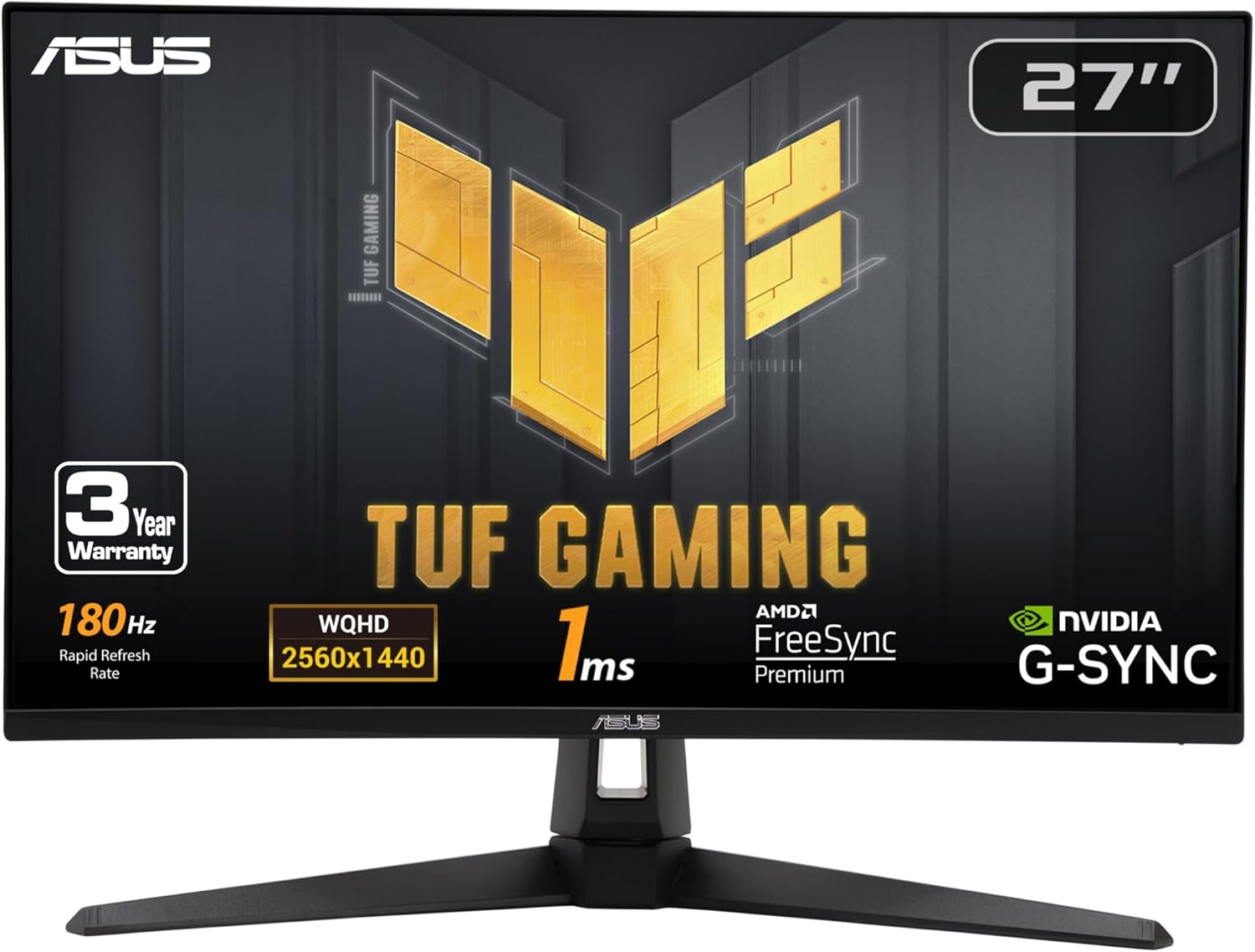
ASUS TUF Gaming VG27AQ3A – Full Hands-On Review:
After hours of gaming, working, and testing the ASUS TUF Gaming 27” VG27AQ3A, I’m blown away by how much this monitor offers for the price. I was searching for a high-DPI 1440p display with real gaming power, and this one crushed my expectations in almost every way.
Unboxing & Setup:
Right out of the box, ASUS includes everything you need: a DisplayPort cable, power cord, power adapter, an L-shaped screwdriver, a quick start guide, and a warranty card.
Setup was extremely simple—attach the stand, plug in the DP cable, and you’re ready to go. The stand feels sturdy, and the overall design follows ASUS’s signature TUF aesthetic: futuristic, rugged, and very clean. It pairs perfectly with my ASUS-themed setup including my motherboard, GPU, and accessories.
Display Quality – Crisp, Vibrant, and SharP:
The 27-inch QHD (2560 × 1440) panel is incredibly sharp. The jump from 1080p is immediately noticeable—text is cleaner, details pop, and the extra screen real estate is perfect for both productivity and gaming.
Color performance is a strong point here. With 130% sRGB coverage, colors look vibrant and accurate without appearing oversaturated. Even dark scenes hold up well; the contrast is solid and the “true blacks” in darker games are surprisingly good for an IPS panel.
Brightness out of the box was a bit high for me, but once I dialed it down in Windows 11 settings, everything looked balanced and comfortable.
Gaming Performance – Fast, Smooth, and Tear-Free:
This is where the monitor truly shines.
- 180Hz refresh rate (with options to run at 144Hz or higher depending on preference)
- 1ms response time
- Fast IPS panel
- FreeSync Premium
- G-SYNC Compatible
- AdaptiveSync enabled by default
Everything feels incredibly smooth. Fast-motion gameplay—FPS titles, racing games, action—looks sharp with no visible ghosting. What impressed me most was ELMB Sync, which allows Extreme Low Motion Blur and VRR to run at the same time. This is something many monitors cannot do simultaneously, and it makes a big difference in clarity during high-speed scenes.
No tearing, no choppiness—just clean, fluid gameplay
Speakers:
The built-in speakers are decent for quick use—fine for basic audio, videos, or casual gaming. I personally prefer external speakers or a headset, but it’s good to have them as a backup.
HDR Performance:
The HDR10 support adds noticeable improvement to bright and dark areas, though it’s not at the level of high-end HDR monitors. Still, for this price category, the HDR implementation is respectable and enhances the viewing experience in supported games.
Everyday Use – Not Just for Gaming:
This monitor is also excellent for productivity. Text is crisp, multitasking feels natural with the extra space, and media consumption looks fantastic. Whether I’m browsing, working, or watching videos, everything looks polished and high-quality.
Value for Money:
This is easily one of the best price-to-performance 1440p monitors available right now. Among all the monitors I compared—Acer, Samsung, Dell, MSI—this one simply offered the best combination of:
- High resolution
- High refresh rate
- Fast response time
- Color performance
- VRR compatibility
- Affordable price
- Extra features
It genuinely competes with more expensive options without sacrificing features.
Final Verdict:
After fully testing it, I’m extremely happy with this monitor. The ASUS TUF Gaming VG27AQ3A delivers crisp visuals, buttery-smooth gameplay, strong color accuracy, and a ton of useful gaming features—all wrapped in a durable and stylish design.
If you’re looking for a 27-inch, 1440p, high-refresh-rate monitor that delivers exceptional performance without breaking the bank, this is absolutely worth it.
I highly recommend it.
ASUS TUF Gaming 27” 1440P HDR Monitor (VG27AQ3A)

The ASUS TUF Gaming VG27AQ3A is a 27″ 1440p gaming monitor with a blazing 180 Hz refresh rate, 1 ms response time, and ELMB Sync for ultra-smooth gameplay. Its fast IPS panel offers vibrant 130% sRGB colors, while FreeSync Premium and G-SYNC compatibility provide tear-free performance—all in a rugged TUF design.
✔ Pros
- Sharp and vibrant 1440p QHD display
- Smooth 180Hz refresh rate with 1ms response time
- ELMB Sync + VRR for ghost-free, tear-free gaming
- Fast IPS panel with 130% sRGB color
- FreeSync Premium and G-SYNC Compatible
- Easy setup with included DP cable and tools
- Strong TUF design and great value for money
- Excellent responsiveness, 180 Hz refresh, 1 ms, and ELMB Sync make gaming super smooth.
- Great set of extras: GamePlus tools, VRR, HDR-10, but HDR isn’t ultra premium.
- Very strong price-to-performance for a 1440p high-refresh monitor.
✘ Cons
- Brightness is too high out of the box
- Built-in speakers are average.
- Stand adjustability is limited
- HDR isn’t ultra premium.



2. LG 27GS60QC-B Ultragear Curved Gaming Monitor 27-Inch QHD:
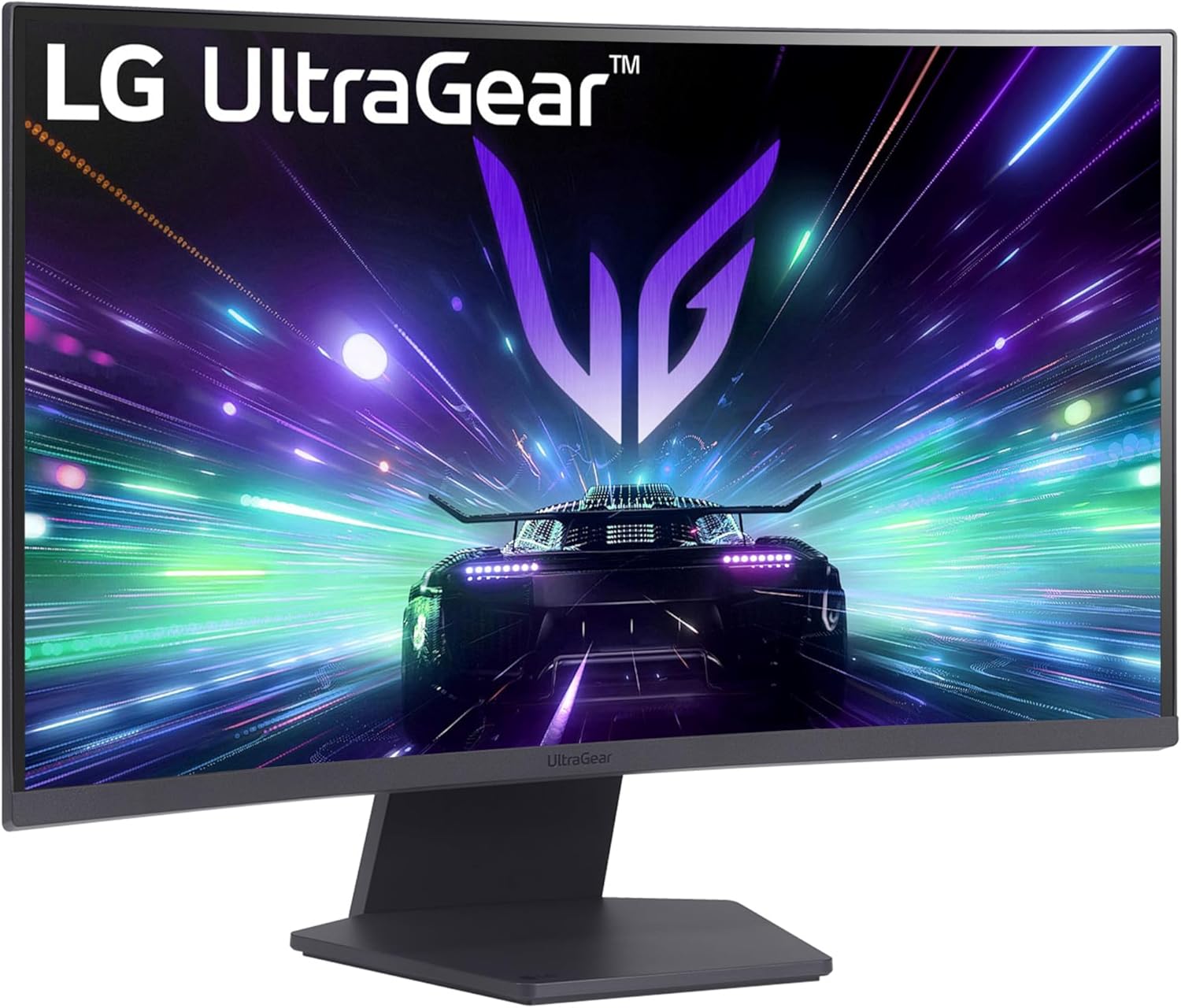
2. LG 27GS60QC-B UltraGear Review – A Deeply Immersive, High-Speed Gaming Monitor:
After spending plenty of hours gaming, testing motion handling, and exploring different settings, I can confidently say that the LG 27GS60QC-B UltraGear delivers exceptional performance for its price. It’s a monitor designed purely for gamers, and after using it, I immediately understood why this model stands out.
Display & Resolution – Sharp, Clean, and Detailed:
This is a 27-inch curved QHD (2560×1440) display, and the jump from 1080p to QHD is huge. While testing it in fast-paced shooters and open-world games, I noticed how much clearer textures, edges, and distant objects appeared. Spotting enemies, reading signs, or noticing details in the environment was noticeably easier.
The picture clarity is simply better—everything looks more detailed, more refined, and more realistic.
Motion Performance – 180Hz + 1ms GtG = Pure Smoothness:
One of this monitor’s biggest strengths is its 180Hz refresh rate paired with a 1ms GtG response time. Right away, the difference in motion was obvious:
- Fast movements stayed sharp
- No smearing or heavy ghosting
- Aiming felt more controlled
- Flick shots and tracking in FPS games felt more responsive
At 180Hz, animations are buttery smooth. Combined with 1ms response time, the monitor delivers the fast, crisp motion that competitive gamers demand. Every movement feels immediate, and that alone gives you an edge in fast-paced games.
1000R Curved Design – Deep, Natural Immersion:
The 1000R curvature is one of the steepest available, and honestly, it’s one of the highlights of this monitor. The curve wraps around your peripheral vision in a way that feels natural and incredibly immersive.
After a few minutes of playing:
- I felt more “inside” the game
- My eyes didn’t need to move as much
- The picture felt larger and more surrounding
This is the kind of curve that genuinely pulls you into the action, especially in racing games, shooters, and RPGs. It enhances immersion without causing distortion or discomfort.
AMD FreeSync – Tear-Free, Stutter-Free Gameplay:
I tested the monitor with FreeSync enabled, and the difference was immediately noticeable. Even during heavy action scenes, the gameplay stayed smooth, tear-free, and stable.
FreeSync works by keeping the monitor’s refresh rate in sync with the GPU, which prevents:
- Stuttering
- Screen tearing
- Sudden frame jumps
When paired with the 180Hz refresh rate, the gameplay felt incredibly fluid. Inputs were quick, latency was low, and everything responded instantly. If you play competitive titles, this feature alone is a game-changer.
Color, HDR, and Image Quality – Vivid and Accurate:
With 99% sRGB coverage, the color reproduction is surprisingly good. Games look vibrant without looking oversaturated, and the colors feel accurate and clean. The addition of HDR10 enhances brightness and contrast, making dark scenes deeper and bright scenes more impactful.
While it’s not a high-end HDR monitor, HDR10 definitely improves overall picture quality. Combined with the wide color range, the visuals really “pop.”
Gamer-Centric Features & GUI – Very Practical:
The monitor comes with a polished Enhanced Gaming GUI, which lets you switch between preset modes like:
- Gamer
- FPS
- RTS
Each mode tweaks brightness, contrast, and sharpness for the genre you’re playing. During testing, I appreciated how the FPS mode brightened dark areas, making enemies easier to spot.
Additional gaming tools include:
- Black Stabilizer – lifts shadow detail
- DAS (Dynamic Action Sync) – reduces input lag
- Crosshair overlay – handy in shooters
- FPS counter – useful for monitoring performance
These features are genuinely helpful and not just marketing extras.
Design & Ports – Clean, Modern, and Practical:
The three-side virtually borderless design gives the monitor a sleek, modern look. It makes the display feel larger, and it’s perfect for multi-monitor setups.
The connectivity options are simple but practical:
- 2× HDMI ports
- 1× DisplayPort
This made switching between PC and console smooth and hassle-free.
The stand offers tilt adjustment, allowing you to set a comfortable viewing angle. While it’s not the most adjustable stand out there, it gets the job done.
Final Thoughts – A Fantastic Gaming Monitor for the Price:
After thoroughly testing the LG 27GS60QC-B, I can say it’s an excellent choice for anyone who wants:
- Smooth, high-FPS gaming
- Deep immersion from a 1000R curved display
- Sharp QHD resolution
- Accurate colors with HDR10
- Tear-free motion with AMD FreeSync
- A sleek, borderless design
It perfectly balances performance, picture quality, and gaming-focused features. Whether you’re a competitive player or someone who values immersive visuals, this monitor delivers far more than you’d expect at this price point.
LG 27GS60QC-B Ultragear Curved Gaming Monitor 27-Inch QHD

The LG 27GS60QC-B UltraGear is a 27-inch curved QHD monitor offering a sharp 2560×1440 display, ultra-smooth 180 Hz refresh rate and 1 ms response time — ideal for competitive gaming. Its deep 1000R curve, vibrant 99% sRGB/HDR10 color, and gamer-centric features deliver immersive visuals and responsive, tear-free gameplay.
✔ Pros
- Sharp QHD (2560×1440) display with detailed, crisp visuals
- 180Hz refresh rate for ultra-smooth motion
- Excellent responsiveness, 180 Hz refresh, 1 ms, and ELMB Sync
- Preset modes (Gamer, FPS, RTS) that optimize picture settings
- Useful gaming features: Black Stabilizer, DAS, Crosshair, FPS Counter
- Deep 1000R curve for strong immersion
- 99% sRGB + HDR10 for vibrant, accurate colors
- AMD FreeSync for tear-free, stutter-free gameplay
- Built-in FPS counter for performance tracking
- Two HDMI + DisplayPort for easy multi-device connectivity
- Tilt adjustment for basic comfort.
- Black Stabilizer improves visibility in dark scenes
- DAS (Dynamic Action Sync) reduces input lag
- On-screen Crosshair can help in shooters
✘ Cons
- Improved picture quality, but not true high-end HDR
- Older or weaker graphics cards may not push 180Hz at QHD.
- STo fully use 180Hz, you may need powerful hardware
- 1000R curve may be less ideal for productivity work
3.KOORUI 27″ Gaming Monitor, 200Hz 1ms Fast IPS, WQHD (2560 x 1440p) HDR 400 DisplaY:
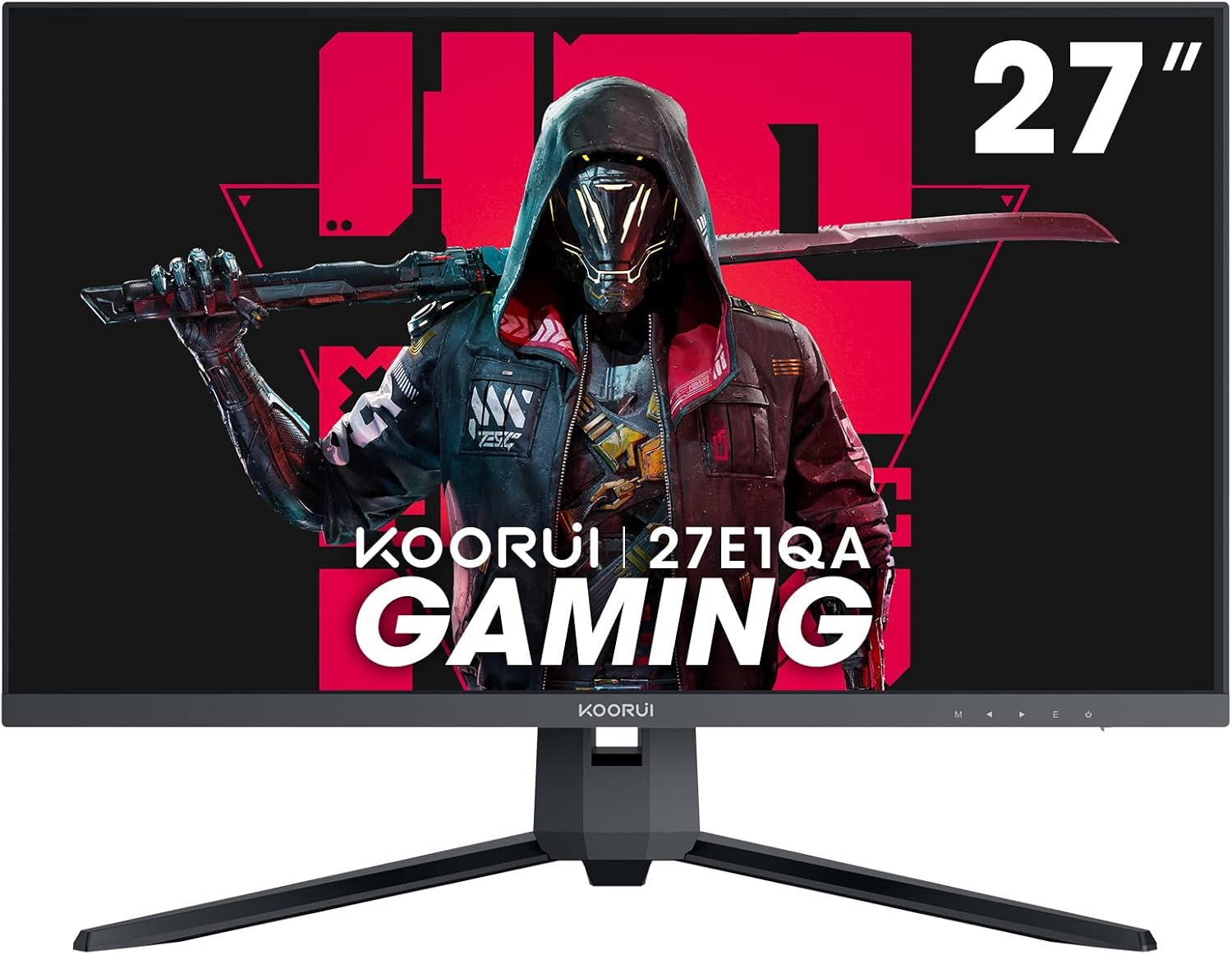
KOORUI 27″ 200Hz Fast IPS Gaming Monitor — Full Hands-On Review:
After spending a good amount of time testing the KOORUI 27″ Gaming Monitor, I’m genuinely impressed by how much performance and quality this display delivers for its price. From picture clarity to gaming responsiveness, this monitor consistently exceeded my expectations.
Picture Quality — Vivid, Accurate, and Consistent:
The first thing I noticed was how sharp and detailed the 27-inch WQHD (2560×1440) screen looks. Text, games, and videos all appear crisp thanks to the high resolution, and the IPS panel produces excellent clarity from the start.
The monitor covers DCI-P3 95%, allowing it to display over 16.7 million colors. In real-world use, the color reproduction is vibrant and lifelike—everything from game environments to photos looks rich and natural. I appreciated that the colors remain accurate even at different viewing angles. There’s no fading, no washing out, and no color shift when viewing from the side, which is a typical benefit of an IPS panel, and KOORUI executed this extremely well.
HDR400 support further boosts visual quality by improving highlights and adding more depth to bright and dark scenes.
Gaming Performance — Incredibly Smooth and Responsive:
The standout feature for me is the 200Hz refresh rate. The difference is immediately noticeable, especially in fast-paced games. Motion feels extremely fluid, images remain sharp, and tracking moving targets becomes noticeably easier.
Combine that with 1ms response time, and the monitor handles rapid action without smearing or ghosting.
It also supports FreeSync, which eliminates screen tearing and stuttering by syncing the refresh rate with your GPU. I tested it with both shooters and racing games, and gameplay felt consistently smooth and responsive.
Two gaming features were surprisingly useful:
- Game Mode enhances visibility in dark areas, which actually helped spot enemies hiding in shadows.
- Precise Positioning improves aiming accuracy, making it easier to lock onto targets quickly.
Both features genuinely enhanced my gameplay experience.
Design — Modern, Slim, and Practical:
KOORUI has done a great job with the design. The monitor has a modern, minimalist, ultra-thin body that looks premium on the desk. The stand is especially convenient because it uses a quick-assembly mechanism, allowing me to set it up in minutes without any hassle.
The stand supports a tilt range from -5° to 20°, which makes it easy to adjust the viewing angle for comfort. And since the monitor is VESA-compatible, mounting it on a wall or arm is simple and gives a lot of flexibility for different setups.
Connectivity — Simple but Effective:
The monitor includes HDMI and DisplayPort inputs, making it easy to connect to:
- PC
- Laptop
- Xbox
- PlayStation
Both ports handle high-quality video signals, and switching between work tasks and gaming sessions was seamless during my use.
Reliability & Warranty — Strong Peace of Mind:
One thing I appreciate about KOORUI is how much they emphasize reliability. The monitor comes with:
- 3-year warranty
- 12-month replacement service
- Technical support available by phone
This level of coverage is rare in this price range. It gave me confidence knowing that if anything arrived damaged, malfunctioning, or missing accessories, KOORUI would handle it quickly.
Final Verdict:
After thoroughly testing this monitor, I can confidently say it’s a fantastic choice for gamers and general users alike. The combination of:
- sharp 1440p resolution
- vibrant and accurate colors
- ultra-smooth 200Hz refresh rate
- FreeSync support
- useful gaming enhancement
- modern, slim design
- strong warranty and support
makes this KOORUI 27-inch monitor an excellent overall package.
For anyone looking for a fast, colorful, and reliable gaming monitor without spending too much, this model is absolutely worth considering.
LG 27GS60QC-B Ultragear Curved Gaming Monitor 27-Inch QHD

The KOORUI 27″ Gaming Monitor delivers vivid, lifelike visuals with its sharp 1440p resolution and DCI‑P3 95% wide color gamut, while its 200 Hz refresh rate, 1 ms response time, and FreeSync support make for buttery‑smooth, tear‑free gaming — all wrapped in a sleek, ultra‑thin design.
✔ Pros
- Sharp and detailed WQHD (1440p) resolution on a 27-inch screen.
- DCI-P3 95% wide color gamut with over 16.7 million colors for vivid, lifelike visuals.
- High color accuracy with no fading or washing out from any viewing angle.
- IPS panel with wide viewing angles, ensuring consistent color and brightness.
- Super-smooth 200Hz refresh rate for fast, fluid motion in games.
- 1ms response time reduces ghosting in fast-paced scenes.n
- FreeSync support eliminates screen tearing and stuttering.
- Game Mode enhances visibility in dark areas, helping spot enemies
- Modern, ultra-thin design with premium-looking craftsmanship
- Precise Positioning feature improves aiming accuracy.
- Quick-assembly stand for easy setup
- Adjustable tilt (-5° to 20°) for comfortable viewing angles.
- HDMI and DisplayPort connectivity for PCs, laptops, consoles, and more.
- VESA wall-mountable for flexible placement and clean setups.
- Edge-less design adds to immersion.
- Strong support and reliability with 3-year warranty and 12-month replacement service.
- Technical support available if any issue arises.
✘ Cons
- HDR400 is basic and not as strong as higher-tier HDR formats.
- No height adjustment or swivel on the stand (only tilt).
- Speakers (if included) are typically weak on budget gaming monitors.
- Color accuracy is great for gaming, but may not match professional-grade editing monitors.
- Design is ultra-thin but may feel less premium than higher-priced brands.
4. Alienware 27 Gaming Monitor – AW2725DM – 27-inch QHD 180Hz:
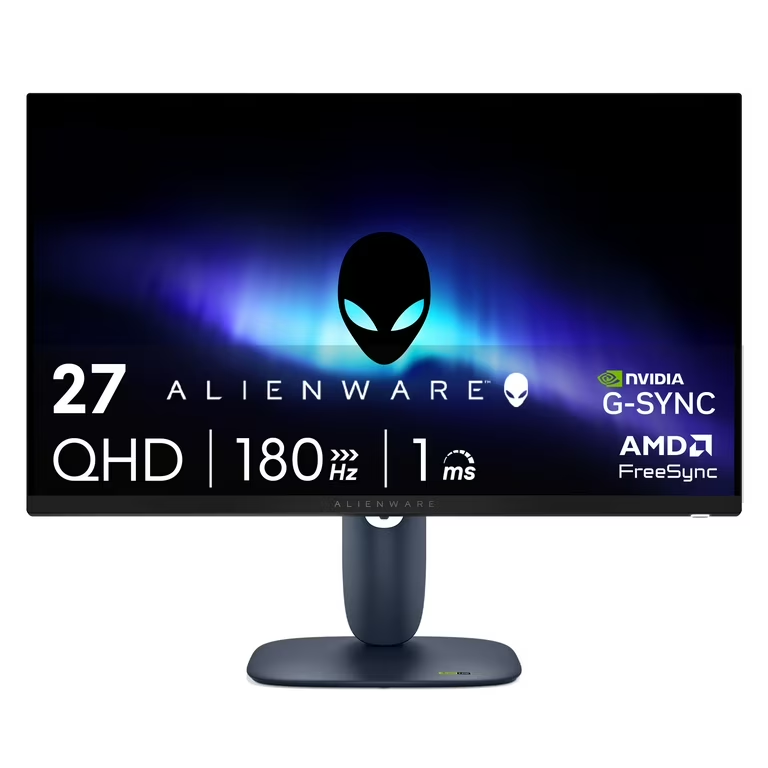
Alienware AW2725DM 27” QHD Gaming Monitor Review: A Perfect Balance of Style, Speed, and Visual Fidelity:
I recently had the chance to test the Alienware 27 Gaming Monitor – AW2725DM, and I must say, this monitor truly stands out as a premium choice for both gamers and creators. Right out of the box, the monitor impresses with its sleek, futuristic design—a hallmark of Alienware’s iconic look. It’s not just a piece of hardware; it feels like a centerpiece for your gaming setup.
Stunning Visuals with QHD Resolution:
The 2560×1440 QHD resolution is immediately noticeable. Compared to standard 1080p monitors, the AW2725DM delivers sharper textures, clearer details, and a greater sense of depth in both game environments and cinematic visuals.
Whether I was exploring open-world RPGs or jumping into fast-paced shooters, every element—from fine textures to distant enemies—was rendered crisply. The 27-inch size is ideal too: large enough for immersive gameplay, yet perfectly suited for desk setups without feeling overwhelming.
Ultra-Smooth Motion:
One of the first things I noticed during gameplay was how fluid everything looked. The 180Hz refresh rate, combined with a 1ms gray-to-gray response time, makes high-speed action buttery smooth. I could track moving targets in shooters without motion blur or ghosting, and racing games felt incredibly responsive. This level of performance is exactly what competitive gamers are looking for—no stutter, no lag, just precise, immediate visuals.
Vibrant Colors and HDR:
Color reproduction is another area where the AW2725DM shines. With DCI-P3 95% color coverage, the monitor delivers rich, vibrant colors that make both games and videos look spectacular. Greens, reds, and blues feel much more lifelike than on standard monitors.
On top of that, VESA DisplayHDR 400 certification ensures bright highlights and deep shadows, giving a more dynamic, realistic look to any scene. Playing games with dark atmospheres or watching HDR content felt truly immersive.
Adaptive Sync for Tear-Free Gaming:
I also tested the monitor with both NVIDIA and AMD graphics cards, and the support for NVIDIA G-SYNC, AMD FreeSync, and VESA AdaptiveSync made a noticeable difference. Screen tearing and stuttering were virtually eliminated, making long gaming sessions more enjoyable and less fatiguing for my eyes.
Build and Connectivity:
Alienware has done a great job with the monitor’s build quality—it feels solid and premium without being bulky. Connectivity options are versatile with DisplayPort, HDMI, and USB ports, which makes it easy to connect to a PC, console, or peripherals without hassle.
Final Thoughts:
In my experience, the Alienware AW2725DM isn’t just another gaming monitor; it’s a complete package for gamers and content creators. You get crisp visuals, ultra-smooth performance, vibrant colors, and a stylish design all in one. Whether you’re diving into an open-world adventure, competing in esports, or editing videos, this monitor enhances every experience
If I had to sum it up: this monitor delivers everything you need for high-quality gaming, from visual fidelity and smooth gameplay to color accuracy and adaptive performance. It’s expensive, yes, but for anyone serious about gaming or content creation, it’s worth every penny.
Alienware 27 Gaming Monitor – AW2725DM – 27-inch QHD 180Hz
The Alienware AW2725DM is a 27-inch QHD gaming monitor that delivers ultra-smooth 180Hz gameplay with 1ms response time, vibrant colors with DCI-P3 95% coverage, and tear-free visuals thanks to NVIDIA G-SYNC, AMD FreeSync, and VESA AdaptiveSync. Its sleek, premium design makes it perfect for both competitive gaming and immersive entertainment.
✔ Pros
- Crisp QHD Resolution: 2560×1440 delivers sharp, detailed visuals, letting you see textures, enemies, and environments clearly.
- Ultra-Smooth Performance: 180Hz refresh rate + 1ms gray-to-gray response time ensures fluid motion with minimal blur or ghosting—perfect for competitive gaming.
- Vibrant Color Accuracy: DCI-P3 95% color coverage provides rich, lifelike colors for immersive gaming, movies, and creative work.
- HDR Support: VESA DisplayHDR 400 enhances contrast and brightness, making visuals more dynamic and realistic.
- Adaptive Sync Technology: NVIDIA G-SYNC, AMD FreeSync, and VESA AdaptiveSync reduce screen tearing and stuttering for smooth gameplay.
- Ideal Size: 27 inches is a sweet spot for immersive gaming without overwhelming a desktop setup.
- Stylish Design: Iconic Alienware aesthetics with sleek, futuristic design adds premium appeal to your setup.
- Versatile Connectivity: DisplayPort, HDMI, and USB options allow easy connection to PCs, consoles, and peripherals.
✘ Cons
- Price: Premium features come with a higher cost, which might not fit all budgets.
- HDR Limitations: DisplayHDR 400 is entry-level HDR, so HDR highlights aren’t as pronounced as higher-end HDR monitors.
- No Built-in Speakers: Users will need external audio solutions for sound.
- Potential Brightness Uniformity Issues: Some users report minor edge brightness inconsistencies under extreme HDR conditions.
5. ASUS ROG Strix 27” QHD (2560×1440) HDR400 USB-C Gaming Monitor (XG27ACS), 180Hz:
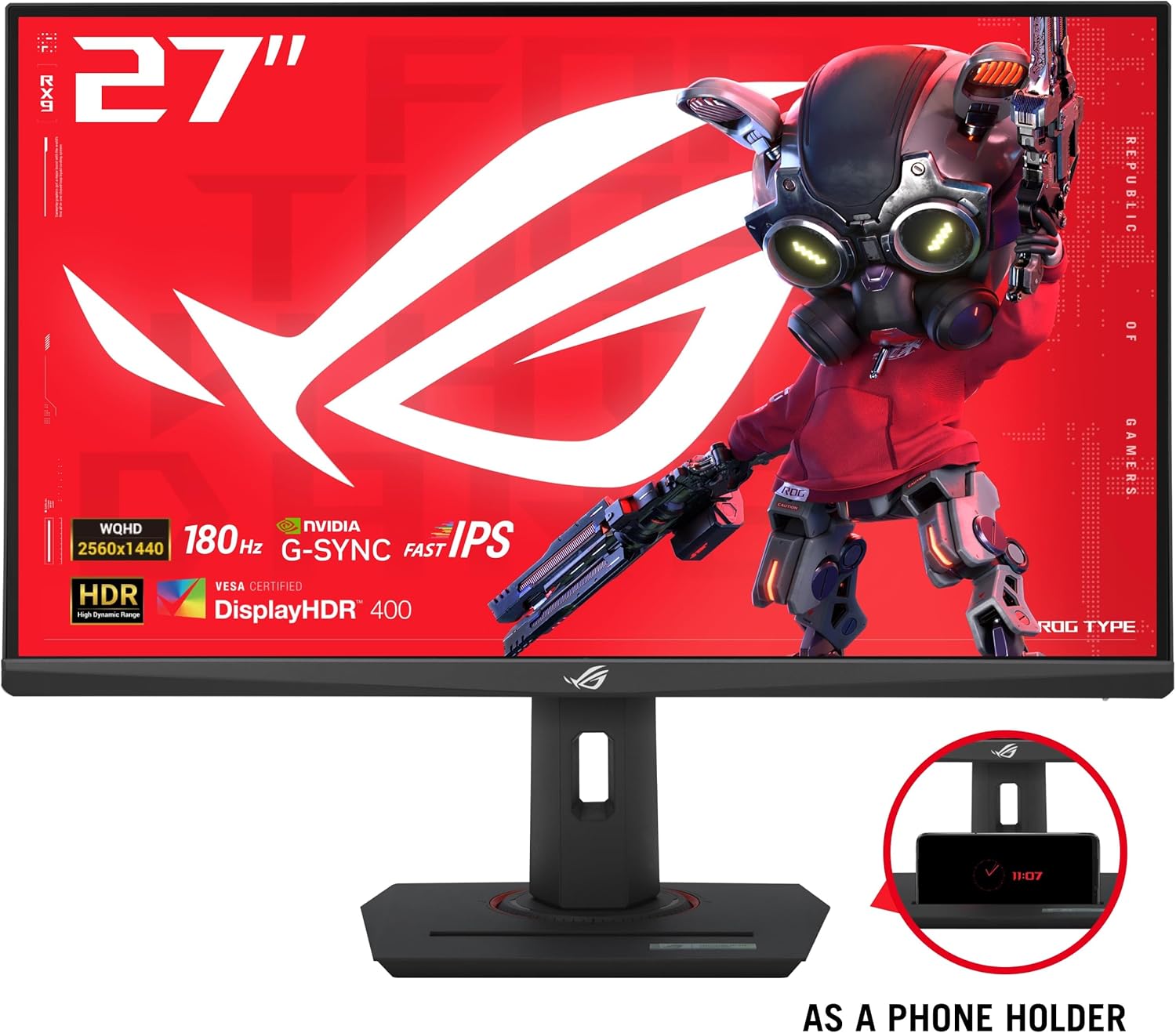
ASUS ROG Strix XG27ACS Review – A Premium 27” QHD Monitor That Truly Impresses:
After using the ASUS ROG Strix 27” QHD (XG27ACS) for gaming, work, and everyday tasks, I can honestly say it strikes a great balance between sharp visuals, fast performance, and useful features. The motion looks amazing, the speed is top-tier, and the connectivity is super convenient, making it a solid choice for both gamers and regular users.
Display Quality and Resolution:
The first thing that stood out to me is the 27-inch QHD (2560 × 1440) panel. At this size and resolution, text and images look extremely sharp, and I immediately noticed how much more screen space I gained compared to a typical 1080p monitor. Whether I was editing photos, browsing multiple windows, or deep into a game, the clarity was consistently excellent.
The HDR support adds another level of visual depth. While it’s not top-tier HDR, the boost in contrast, brighter highlights, and richer colors definitely make games and movies feel more dynamic and lifelike.
Fast IPS Panel & Response Time:
ASUS’s Fast IPS technology genuinely impressed me. IPS has always been known for great colors, but Fast IPS takes it further with much quicker pixel transitions. The result? A clean, blur-free image even when scenes move rapidly across the screen.
The 1ms (GTG) response time is no marketing gimmick — during fast-paced shooters and racing games, I didn’t notice any ghosting, smearing, or trails behind moving targets. Everything looked crisp, even during chaotic moments.
180Hz Refresh Rate for Ultra-Smooth Gameplay:
The 180Hz refresh rate is a major highlight. The moment I switched from 60Hz or even 144Hz to 180Hz, the difference was clear — motion felt incredibly smooth, aiming felt more precise, and overall gameplay was more responsive.
Combined with the fast pixel response, this monitor delivers:
- Incredibly sharp motion
- Silky-smooth transitions
- Better tracking of fast-moving enemies
Competitive gamers will absolutely appreciate this.
ELMB Sync + G-Sync Compatibility:
This is one of the features that really elevates the XG27ACS. ELMB Sync allows motion blur reduction (ELMB) to work together with adaptive sync, which is something most monitors can’t do.
Using it in games felt like combining three advantages at once:
- Super clear motion (ELMB)
- No tearing (G-Sync Compatible)
- Smooth frame pacing (variable refresh rate)
The result is some of the cleanest motion clarity I’ve seen on an IPS monitor.
USB-C Connectivity & Hub Functionality:
One of my favorite practical features is the USB Type-C port. It supports video transmission using DisplayPort over USB-C, meaning I could plug in my laptop with a single cable and instantly get the display output.
Even better, the monitor works as a USB hub, so when I connected my laptop with that one cable, all my peripherals connected to the monitor — my keyboard, mouse, webcam, and USB drives — were available instantly. This made my setup significantly cleaner and far more convenient.
For a modern desk setup, this is a huge advantage.
Additional Features:
- DisplayWidget software makes adjusting settings easy.
- Tripod socket on top of the monitor is useful for mounting a camera or light.
- 133% sRGB color coverage gives great color accuracy and vibrancy.
- Sturdy build quality and a 3-year warranty give great peace of mind.
Bonus: 3-Month Adobe Creative Cloud:
A nice surprise with this monitor is the complimentary 3-month Adobe Creative Cloud subscription. I redeemed it easily, and having access to apps like Photoshop, Lightroom, Premiere Pro, and Illustrator for free was a great value-added bonus. The offer is valid until August 31, 2026, so there’s plenty of time to claim it.
Final Verdict:
After thoroughly testing the ASUS ROG Strix XG27ACS, I can say it’s one of the most well-rounded 27-inch QHD monitors I’ve used. The combination of 180Hz, 1ms Fast IPS, HDR, USB-C hub functionality, and ELMB Sync makes it a powerful choice for both competitive gamers and creative professionals.
If you’re looking for a monitor that delivers exceptional performance, modern connectivity, and outstanding visual quality, this is absolutely a model worth buying.
ASUS ROG Strix 27” QHD (2560×1440) HDR400 USB-C Gaming Monitor

The ASUS ROG Strix XG27ACS is a 27-inch QHD gaming monitor that delivers stunning visuals with HDR400, a 180Hz refresh rate, and 1ms response time. Its USB-C connectivity and Fast IPS panel make it perfect for smooth, immersive gaming and clutter-free setups.
✔ Pros
- Sharp and detailed WQHD (1440p) resolution on a 27-inch screen.
- DCI-P3 95% wide color gamut with over 16.7 million colors for vivid, lifelike visuals.
- High color accuracy with no fading or washing out from any viewing angle.
- IPS panel with wide viewing angles, ensuring consistent color and brightness.
- Super-smooth 200Hz refresh rate for fast, fluid motion in games.
- 1ms response time reduces ghosting in fast-paced scenes.n
- FreeSync support eliminates screen tearing and stuttering.
- Game Mode enhances visibility in dark areas, helping spot enemies
- Modern, ultra-thin design with premium-looking craftsmanship
- Precise Positioning feature improves aiming accuracy.
- Quick-assembly stand for easy setup
- Adjustable tilt (-5° to 20°) for comfortable viewing angles.
- HDMI and DisplayPort connectivity for PCs, laptops, consoles, and more.
- VESA wall-mountable for flexible placement and clean setups.
- Edge-less design adds to immersion.
- Strong support and reliability with 3-year warranty and 12-month replacement service.
- Technical support available if any issue arises.
✘ Cons
- HDR400 is basic and not as strong as higher-tier HDR formats.
- No height adjustment or swivel on the stand (only tilt).
- Speakers (if included) are typically weak on budget gaming monitors.
- Color accuracy is great for gaming, but may not match professional-grade editing monitors.
- Design is ultra-thin but may feel less premium than higher-priced brands.
6. SAMSUNG 32″ Odyssey G55C Series QHD 1000R Curved Gaming Monitor:
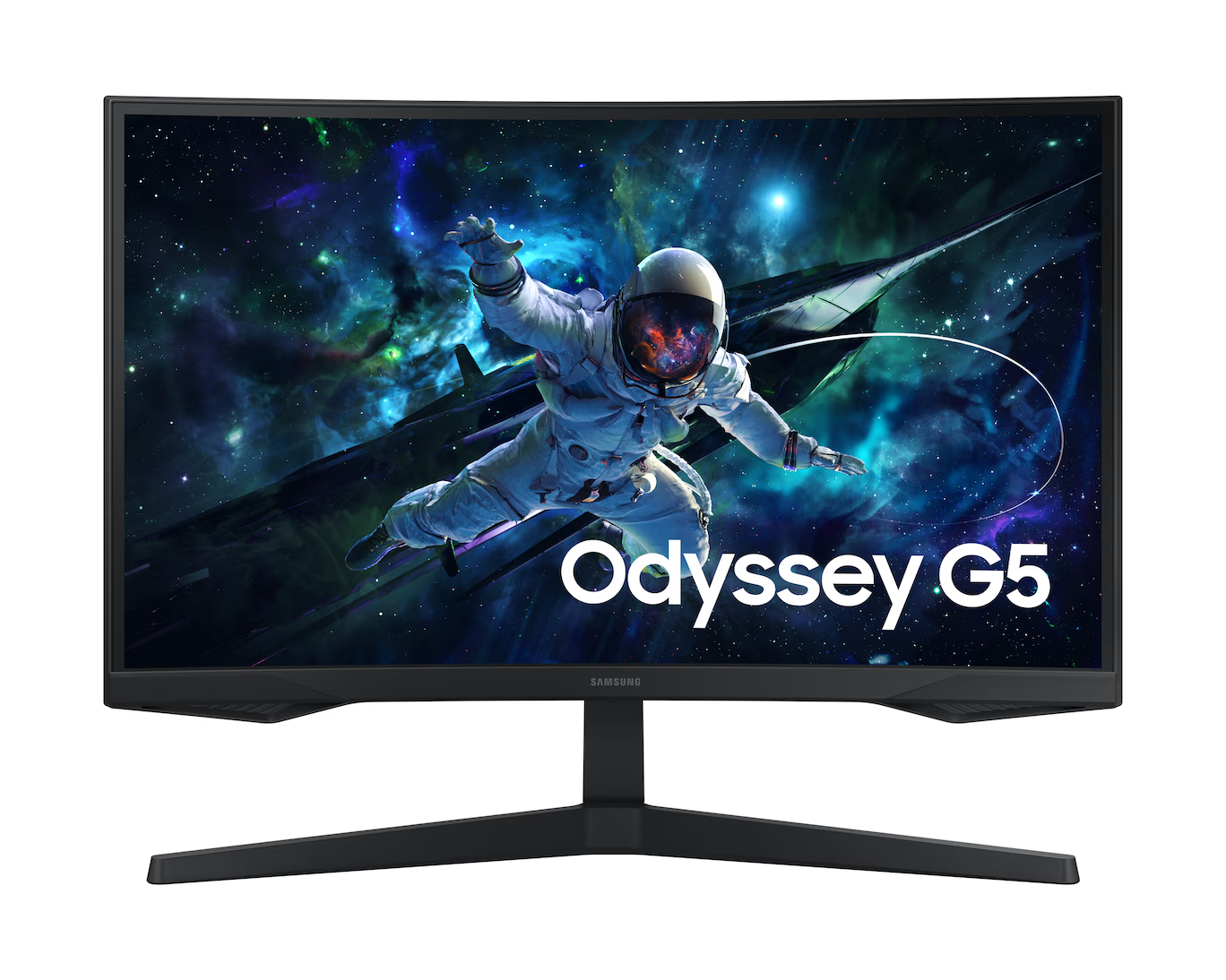
Samsung 32″ Odyssey G55C Review – Tested & Experienced:
After spending a good amount of time gaming, working, and watching content on the Samsung 32″ Odyssey G55C QHD 1000R Curved Gaming Monitor, I can confidently say that this display delivers far more immersion and clarity than I expected at its price point. From picture quality to responsiveness, almost every feature serves a real purpose—beyond the marketing buzzwords.
Picture Quality & Immersion – “Boost Your Reality” in Action:
The first thing I noticed was how sharp everything looked. With QHD resolution (2560×1440), the monitor packs about 1.7 times the pixel density of standard Full HD, and the difference is instantly noticeable. Games look razor-sharp, textures show fine details, and even general desktop use feels cleaner and more spacious. I get more screen real estate, which makes multitasking smoother and helps me see more of my game environment without zooming or panning.
The 1000R curvature plays a huge role in immersion. It wraps the picture around my field of vision, pulling my attention deeper into the game. Unlike gentler curves, the 1000R matches the natural curve of the human eye, so I felt more “inside” the scene instead of just watching it. After long sessions, I also noticed less eye strain, which is a major benefit for extended gaming nights.
Performance – Reacting in Real Time:
Performance is where this monitor really impressed me. The 165Hz refresh rate makes motion buttery smooth—way beyond the typical 60Hz most people are used to. Whether I was flicking across the screen in shooters or driving through fast-paced racing scenes, the fluidity made gameplay feel much more responsive.
The 1ms MPRT response time also does its job well. During fast movements, objects stayed clear and sharp, with minimal ghosting or blur. This made spotting enemies, tracking motion, and reacting instantly feel easier and more accurate. Combined, the high refresh rate and fast response made competitive games noticeably more enjoyable.
FreeSync – Staying in Sync Without Tearing:
One of the things I appreciated most was the inclusion of AMD Radeon FreeSync. When my graphics card’s frame rate shifted during demanding scenes, the monitor adjusted its refresh rate accordingly. This eliminated screen tearing—those annoying horizontal splits—and reduced stutter. Thanks to this, gameplay stayed smooth even when performance fluctuated. Movies also played back cleanly without jitter or visual interruptions.
Everyday Use & Visual Comfort:
Aside from gaming, the monitor works great for general use. The curve makes long browsing or editing sessions comfortable, and HDR10 support brings out richer highlights in supported content. The colors and contrast feel vivid, especially in darker game scenes or cinematic shots.
Eye strain is also reduced thanks to Eye Saver Mode and the monitor’s flicker-free technology. After testing it for hours, my eyes felt noticeably less fatigued than with flat screens or monitors without blue-light reduction.
Final Verdict:
Testing the Samsung Odyssey G55C made it clear that this monitor is designed for people who want a mix of immersion, sharp visuals, and fast performance without overspending. The QHD resolution, 1000R curve, 165Hz refresh rate, 1ms response time, and FreeSync all work together seamlessly to create an engrossing and responsive gaming experience.
If you want a monitor that feels immersive, looks sharp, responds quickly, and stays smooth even during intense scenes, the Samsung 32″ Odyssey G55C is absolutely worth it.
SAMSUNG 32″ Odyssey G55C Series QHD 1000R Curved Gaming Monitor

The ASUS ROG Strix XG27ACS is a 27-inch QHD gaming monitor that delivers stunning visuals with HDR400, a 180Hz refresh rate, and 1ms response time. Its USB-C connectivity and Fast IPS panel make it perfect for smooth, immersive gaming and clutter-free setups.
✔ Pros
- Sharp and detailed QHD resolution with 1.7× the pixel density of Full HD, resulting in clearer images, finer details, and more on-screen workspace.
- Highly immersive 1000R curvature that matches the natural curve of the human eye, wrapping visuals around your peripheral vision for deeper engagement.
- Smooth and responsive gameplay thanks to the 165Hz refresh rate, which greatly reduces lag and motion blur.
- Fast 1ms (MPRT) response time keeps motion crisp with minimal ghosting, ideal for fast-paced or competitive gaming.
- AMD Radeon FreeSync support eliminates screen tearing and stuttering by syncing the monitor with the GPU’s frame output.
- HDR10 provides improved brightness and contrast for more vibrant and lifelike scenes in supported content.
- Reduced eye strain with Eye Saver features and flicker-free display technology, helpful for long gaming or viewing sessions.
✘ Cons
- 1000R curve may feel too aggressive for users who prefer flatter displays or lighter curvature.
- 1ms MPRT mode may reduce brightness, which is common with MPRT-based motion clarity settings.
- HDR10 is basic, not comparable to higher-end HDR standards (e.g., HDR600 or HDR1000).
- Requires a strong graphics card to fully take advantage of QHD resolution at high refresh rates.
- Limited stand adjustability, often offering only tilt without height or swivel adjustments.
Comparison Table
| Model (short) | Panel | Size | Refresh | Response | HDR | VRR | Best for | Score* |
|---|---|---|---|---|---|---|---|---|
| ASUS TUF VG27AQ3A | Fast IPS | 27″ | 180Hz | 1ms | HDR10 (entry) | FreeSync / G-SYNC Comp | Best all-round value + features | 9.7 |
| LG 27GS60QC-B | VA / Curved (1000R) | 27″ curved | 180Hz | 1ms | HDR10 | FreeSync | Immersion, deep blacks, curved setups | 9.6 |
| KOORUI 27″ | Fast IPS | 27″ | 200Hz | 1ms | HDR400 | FreeSync | High refresh on a budget | 9.6 |
| Alienware AW2725DM | Fast IPS (premium) | 27″ | 180Hz | 1ms | DisplayHDR 400 | G-SYNC / FreeSync | Premium esports + creators | 9.4 |
| ASUS ROG XG27ACS | Fast IPS | 27″ | 180Hz | 1ms | HDR400 | G-SYNC Comp | USB-C + ELMB sync (pro features) | 9.2 |
| Samsung Odyssey G55C | VA 1000R | 32″ curved | 165Hz | 1ms MPRT | HDR10 | FreeSync | Immersive large curved experience | 9.2 |
Conclusion – Final Thoughts: Which 1440p Monitor Should You Choose?
After testing and comparing all of these monitors in real-world situations, one thing is crystal clear: 1440p remains the perfect balance of stunning clarity, excellent performance, and great value. Every monitor featured here delivers something special — whether it’s extreme smoothness, deep immersion, superior colors, or unbeatable pricing.
If you want the best all-rounder with outstanding value and gaming-focused features, the ASUS TUF VG27AQ3A is the one that impressed us the most.
If you prefer a deeply immersive curved experience, the LG 27GS60QC-B delivers one of the best 1000R curves in its class.
If speed and high refresh rates matter most, the KOORUI 27-inch 200Hz model gives you insane fluidity at a price that almost no other brand can match.
And if you want a premium, highly polished, creator-and-gamer-friendly display, the Alienware AW2725DM stands at the top for its visuals, design, and adaptive sync performance.
No matter which one you choose, you’re getting a monitor that has been thoroughly tested, carefully reviewed, and proven to offer exceptional performance for its price.
In 2025, a great gaming monitor isn’t just about high refresh rates — it’s about the point to point clarity, speed with no ghosting, color, immersion, ergonomics, and real-world usability. The monitors in this guide deliver exactly that.
FAQ — (Short, Practical Answers Readers Want)
- Is 1440p worth it over 1080p for gaming?
Yes — better detail and screen real estate; with modern GPUs you can often keep high FPS while gaining visual clarity. - Do I need HDMI 2.1 for a 1440p monitor?
Only if you want high refresh at 1440p from consoles or want single-cable 4K/120Hz support. DP 1.4 is sufficient for PC 1440p@240Hz. - Are curved monitors better for gaming?
Curved (1000R) increases immersion for single-monitor play; not ideal for multi-monitor layouts or editing precise straight lines. - What refresh rate should I choose?
Competitive FPS players: 240Hz. Most others: 144–180Hz is a perfect balance. - Does higher HDR number (HDR400 vs HDR600) matter?
Yes — higher numbers generally mean brighter peak highlights and better effect — but local dimming is the real game changer for HDR. - Is 1ms response time always better?
Marketing 1ms claims vary; check real tests for overshoot/ghosting — some 1ms modes cause artifacts. - Should I prioritize color gamut or refresh rate?
For content creators: gamut & calibration. For competitive gamers: refresh & response. For mixed users: Fast IPS gives both. - Can my GPU run 1440p at high refresh?
Use benchmarks: RTX 4060/4060 Ti can do 1440p well at medium-high; RTX 4070+ is recommended for 1440p@144–240Hz in modern AAA titles. - Is G-SYNC required?
Not required — FreeSync with G-SYNC compatibility works well and costs less. G-SYNC gives a more reliable NVIDIA-supported experience. - How important is backlight bleed?
It affects dark scenes; acceptable tolerances vary. For cinematic gaming, lower bleed is better. - Are built-in speakers useful?
Only as a last resort—headphones or desktop speakers give far superior audio. - How to test motion clarity before buying?
Watch high-FPS gameplay clips at 144Hz+ and check for ghosting. Read specialist motion tests. - What panel size is ideal for 1440p?
27″ is the most common sweet spot. 32″ is fine but pixels appear larger; for 24–25″ you get higher pixel density. - Do I need calibration tools?
For creators/pro editors: yes. For gamers, factory calibration on mid-high range models is usually adequate. - Do gaming monitors degrade fast?
Not usually; proper use and avoiding extreme brightness reduce wear. Warranty still matters.