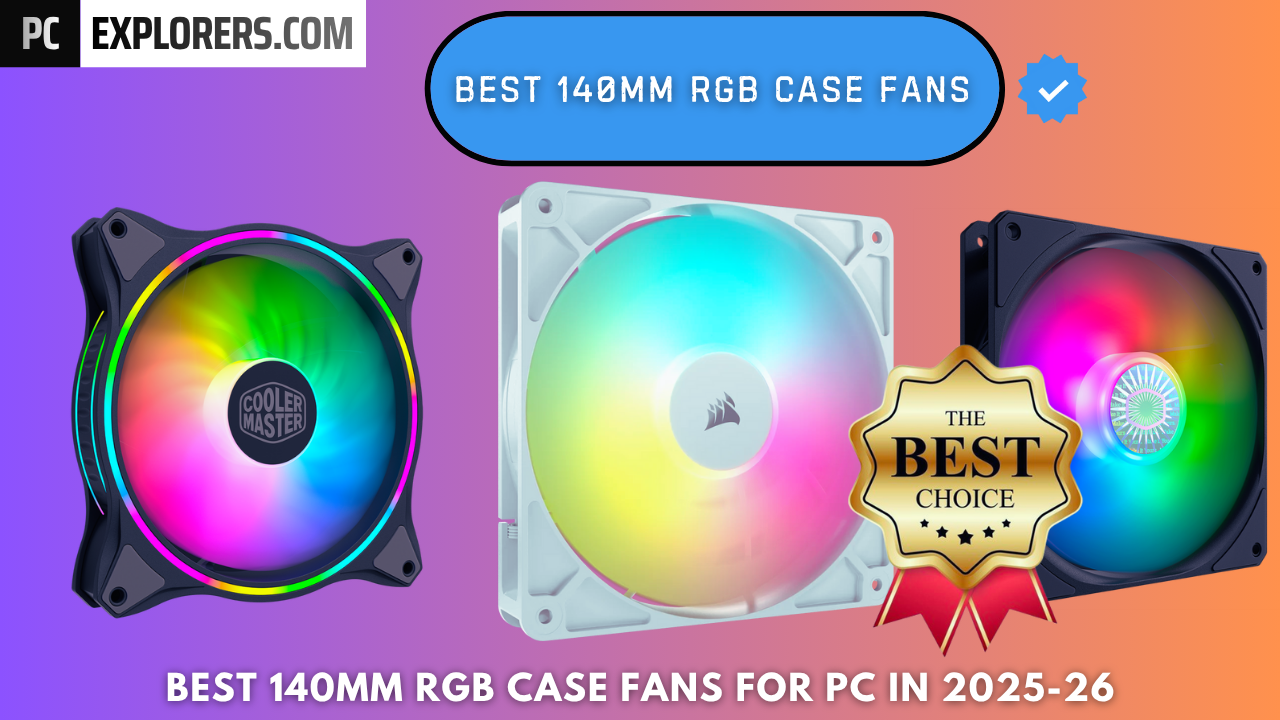
BEST 140mm RGB CASE FANS FOR PC IN 2025-26
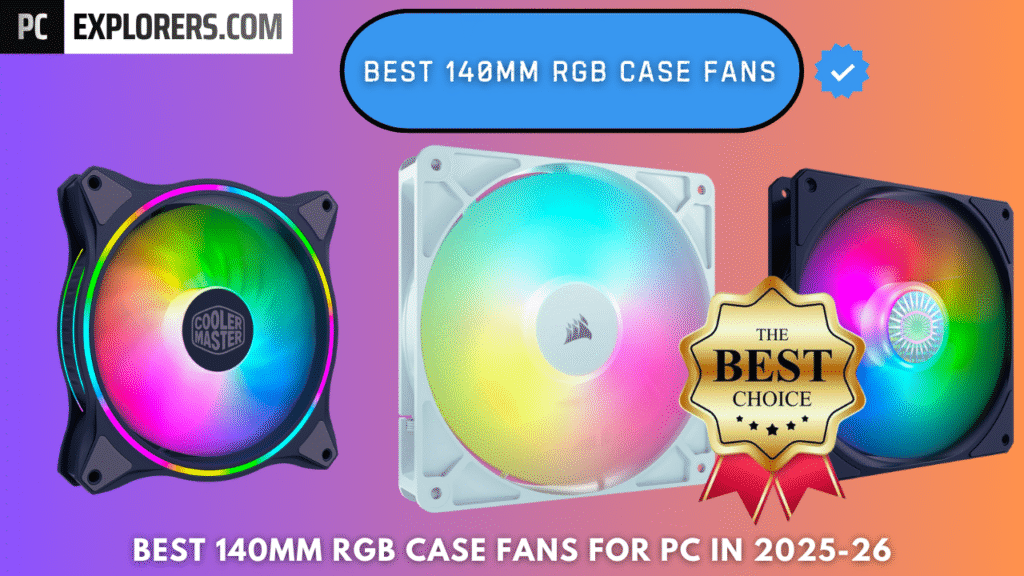
BEST 140mm RGB CASE FANS FOR PC IN 2025 AND 2026
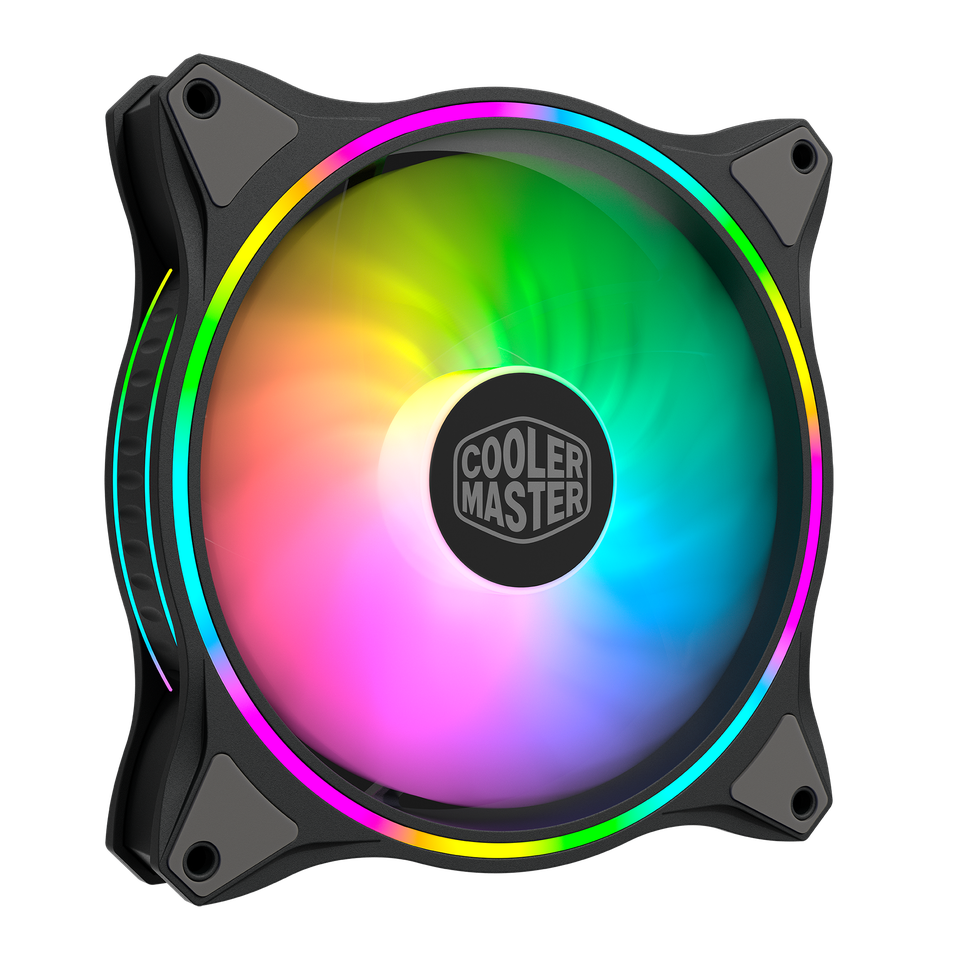
Cooler Master MasterFan MF140 Halo Fan
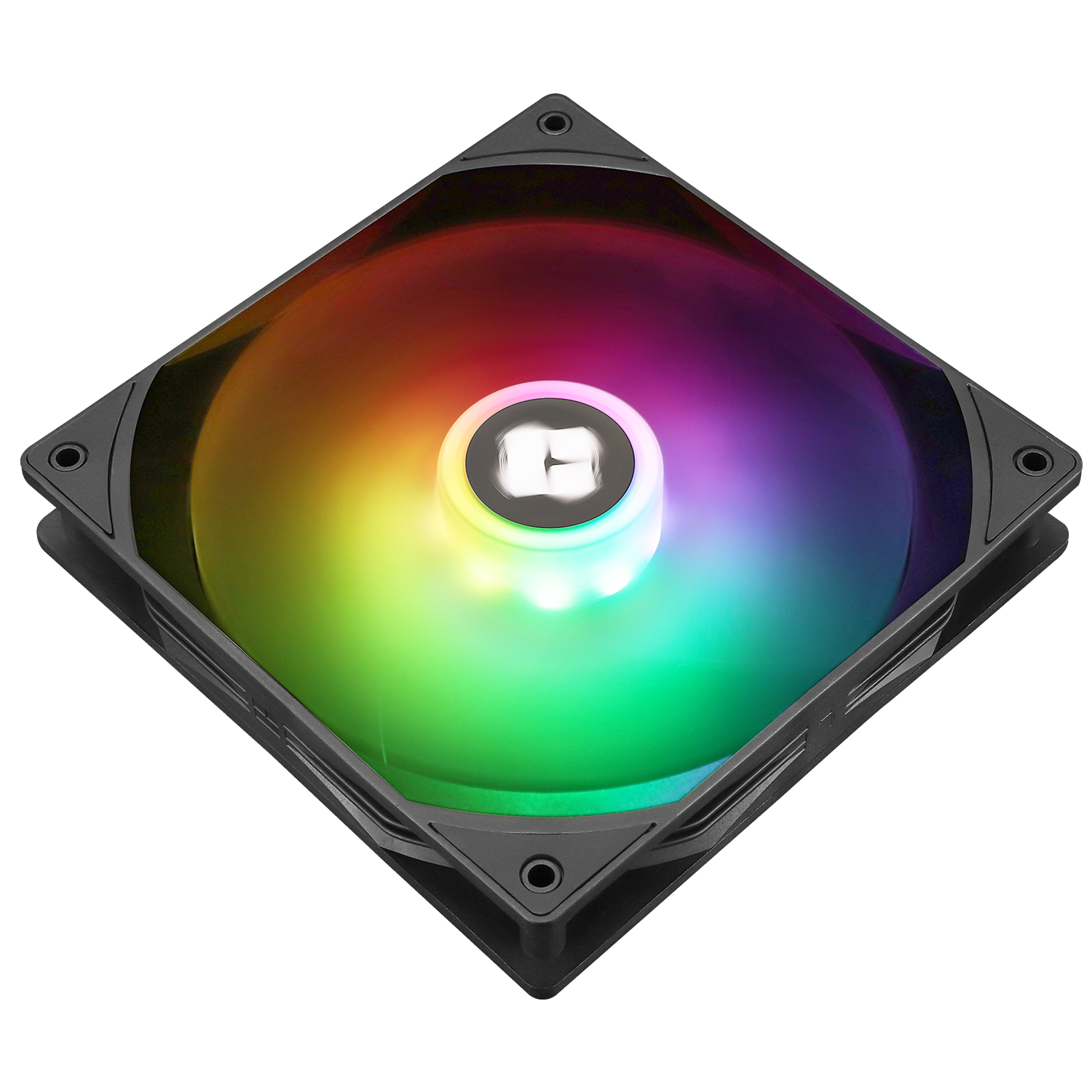
Thermalright TL-C14C-S 140mm ARGB Fan
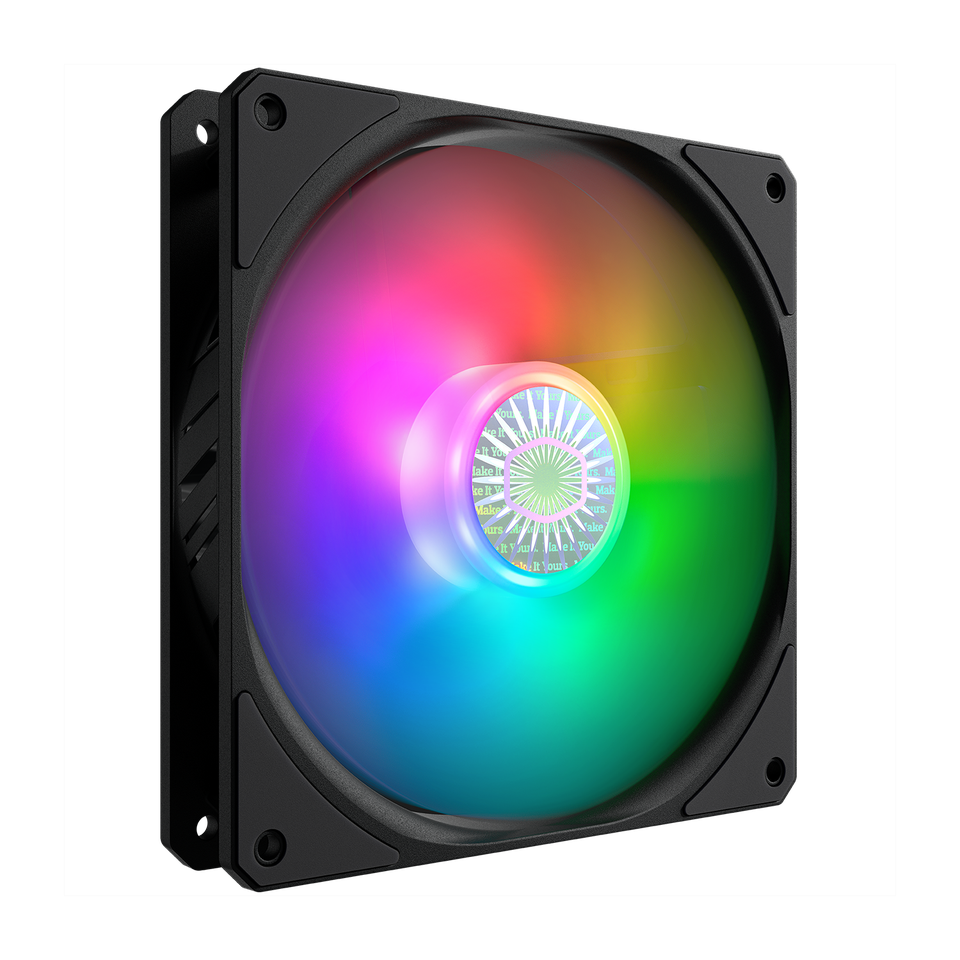
Cooler Master SickleFlow 140 V2 ARGB
Why 140mm RGB Fans Are the New Standard in 2025
In 2025, the evolution of PC cooling has shifted dramatically toward larger, more efficient fan designs — and 140mm RGB case fans now sit at the sweet spot between maximum airflow, low noise, and next-generation aesthetics. As CPUs and GPUs continue to draw higher power than ever before, airflow dynamics have become a core part of PC performance rather than just an afterthought.
Modern 140mm fans are engineered to deliver up to 30–40% more airflow than their 120mm counterparts, while spinning at significantly lower RPMs. This not only reduces acoustic levels but also maintains more stable thermal performance under heavy gaming or workstation loads. Combined with advanced PWM (Pulse Width Modulation) control and magnetic or fluid-dynamic bearings, today’s premium 140mm models are quieter, more durable, and more efficient than any generation before them.
Smarter RGB Lighting for Modern PC Builds
Aesthetically, RGB lighting has evolved from a simple visual upgrade to an integral part of modern PC design. In 2025, RGB ecosystems have become smarter, more coordinated, and technically advanced. Leading brands now integrate diffused lighting rings, individually addressable LEDs, and unified software control systems like Corsair iCUE, ASUS Aura Sync, and Lian Li L-Connect 3 to ensure every fan, strip, and component moves in perfect color harmony.
Simplified Connectivity and Unified Aesthetics
At the same time, daisy-chain connectivity and ARGB hubs have simplified installation and reduced cable clutter — solving one of the biggest pain points for builders. Instead of just glowing, today’s 140mm RGB fans enhance the overall thermal visibility of a setup, allowing users to link fan speed or temperature zones with lighting effects. This blend of aesthetics and function marks the new standard for high-end PC builds in 2025, where cooling performance and visual design now work together as one unified experience.
Choosing the Right 140mm RGB Fan for Your Setup
But here’s the challenge: not all 140mm RGB fans perform equally well. Some prioritize lighting effects over cooling efficiency, while others deliver raw airflow but lack visual polish or noise optimization. To help you make the most informed choice, we’ve analyzed and compared the top-performing 140mm RGB case fans for PC builders in 2025–26, based on real-world airflow data, thermal benchmarks, build quality, and overall lighting performance.
Whether you’re optimizing a high-TDP gaming rig, designing a silent workstation, or simply upgrading your system’s aesthetics, this guide will help you find the perfect balance of performance, acoustics, and design, all focused on what matters most to U.S.-based PC enthusiasts and builders.
1. Cooler Master MasterFan MF140 Halo Fan :

Cooler Master MasterFan MF140 Halo Fan Review:
After testing the Cooler Master MasterFan MF140 Halo, I’m genuinely impressed by how well it combines style, performance, and affordability. The Duo-Ring ARGB lighting is a standout feature bright, vivid, and visible from both sides of the fan. The 24 individually controlled LEDs deliver smooth color transitions that make any PC setup look premium without being over-the-top.
performancE:
In terms of cooling, these fans perform very well. The hybrid static pressure blade design helps push air efficiently through filters and vents, keeping temperatures stable even during long gaming sessions. Noise levels are fairly low, averaging around 30 dB, though there’s a slight rattle when the fan is mounted face-down at high RPMs. Aside from that, it runs smoothly and quietly.
installation:
Installation was straightforward. The included splitter lets you connect multiple fans and RGB cables into a single motherboard header, which helps a lot with cable management. The fans work flawlessly with motherboard software like ASUS Aura, MSI Mystic Light, or ASRock Polychrome, and syncing them with other RGB peripherals creates a clean, unified lighting setup
built quality:
Build quality feels solid, and for the price, these fans easily compete with more expensive models from brands like Corsair. The materials feel durable, and the overall finish gives the impression of a higher-end product.
final veRDICT:
Overall, the Cooler Master MF140 Halo offers impressive cooling, gorgeous RGB lighting, and reliable performance at a great price. It’s a perfect choice for anyone who wants their PC to look stunning while maintaining strong airflow and quiet operation definitely worth recommending..
Cooler Master MasterFan MF140 Halo Fan
Cooler Master MasterFan MF140 Halo fan: A 140 mm PWM case fan featuring dual-loop addressable RGB lighting and a hybrid frame design for strong airflow with quiet operation.
✔ Pros
- Stunning Duo-Ring ARGB lighting with 24 individually controlled LEDs visible from both sides
- Strong airflow and solid static pressure for good cooling performance
- Low noise levels (around 30 dB) with effective noise-reduction design
- Easy installation with included splitter for simplified cable management
- Excellent value compared to more expensive RGB fans like Corsair LL series
- Compatible with major motherboard RGB software (Aura Sync, Mystic Light, Polychrome)
- Good build quality and premium look for the price
- Works well for both intake and exhaust setups
- Smooth, vivid lighting with good color blending
✘ Cons
- Some users report a high-pitched motor whine at low RPMs
- Color tones may vary slightly from other Cooler Master ARGB fans — not perfectly uniform
- No daisy-chain support for power connectors; requires additional splitters or adapters for multi-fan setups.
- Lacks included 3-in-1 PWM cable, making cable management harder when using multiple fans.



2. be quiet! Light Wings 140mm PWM High-Speed ARGB Fan :
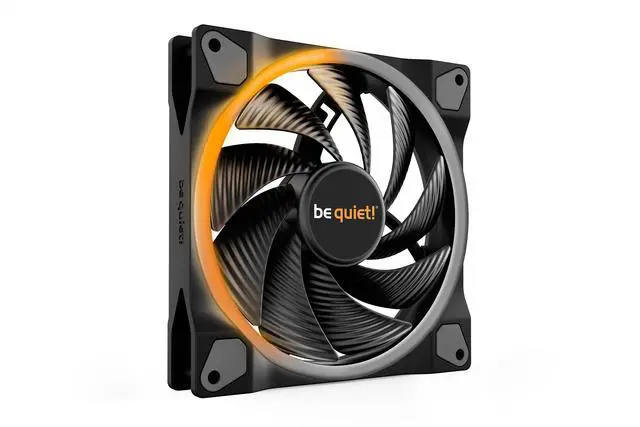
be quiet! Light Wings 140mm PWM High-Speed ARGB Fan Review :
After testing the be quiet! Light Wings 140mm PWM High-Speed fan in my build, I can confidently say it delivers on its promise of strong performance and quiet operation. This fan strikes a great balance between cooling efficiency, build quality, and aesthetics , all while maintaining the signature low-noise performance that be quiet! is known for.
Performance:
The cooling performance is excellent. With speeds up to 2200 RPM and air pressure reaching 2.3mm/H₂O, the fan handles both radiator and air-cooled setups easily. Even under load, the noise level stays around 31dB(A), which is impressive considering the airflow it pushes. The nine silence-optimized blades do their job well minimal turbulence and efficient heat dissipation.
ARGB LIGHTINGS:
What really stands out is the ARGB lighting. The 20 LEDs on the front and rear give a vibrant, premium look that enhances the build from every angle. Illumination can sync with your motherboard’s ARGB settings, though I did find the included hub somewhat frustrating. The hub lacks clear documentation, and depending on your case (especially with be quiet! cases), some ports can get blocked or cause lighting inconsistencies. It’s functional but not the most user-friendly setup.
build quality:
In terms of build quality, the fan feels very solid and premium. The rifle-bearing design ensures longevity — rated up to 60,000 hours and the finish is clean and professional. PWM control also works perfectly, letting the system intelligently adjust fan speed based on temperature for quiet or performance modes as needed.
final verdict
Overall, the Light Wings 140mm PWM High-Speed is an impressive mix of aesthetics and functionality. The cooling and silence are top-tier, the lighting looks fantastic, and the construction feels durable. The only downside is the limited ARGB hub documentation and slightly higher price compared to some alternatives.
be quiet! Light Wings 140mm PWM High-Speed ARGB Fan
The be quiet! Light Wings 140 mm PWM High-Speed ARGB fan blends high air pressure and quiet operation (up to 2200 RPM at ~31 dB(A)) with dual-sided RGB lighting, making it a premium choice for both silent and visually standout PC builds.
✔ Pros
- Excellent cooling performance with up to 2200 RPM and 2.3mm/H₂O static pressure — ideal for radiators and heat sinks.
- Low noise output at just 31dB(A) even at full speed, maintaining quiet operation.
- Dual-sided ARGB lighting with 20 individually controllable LEDs for a stunning, vibrant look from any angle.
- Premium build quality with sturdy materials and a rifle-bearing rated for 60,000 hours lifespan.
- PWM control allows automatic speed adjustment based on system temperature for efficiency and silence.
- Three-year manufacturer’s warranty ensures reliability and peace of mind.
- Sleek and professional design — ideal for both showcase builds and silent gaming systems
✘ Cons
- Slightly higher price compared to non-RGB fans with similar performance
- The hub design can block ports when mounted in certain be quiet! cases (e.g., Dark Base 901).
3. Cooler Master SickleFlow 140 V2 ARGB :

Cooler Master SickleFlow 140 V2 ARGB Review:
I recently tested the Cooler Master SickleFlow 140 V2 ARGB fans in my PC setup, and they turned out to be a mixed experience overall.
ARGB LIGHTINGS:
The ARGB lighting is one of the biggest highlights. It’s bright, well-diffused, and looks premium for the price. The lighting synced easily with my Corsair setup using an adapter, and visually it looked almost identical to the Corsair AF140 Elite. These fans definitely deliver strong value in terms of aesthetics and overall cooling performance.
performance, build quality & noise:
First, the build quality feels solid — I’d rate it around 4.5/5. The fans have a revised curved blade design that noticeably improves airflow and air pressure while keeping the noise low. At around 27 dBA, they stay fairly quiet even under load. With PWM control, the speed can dynamically adjust between 650 to 1400 RPM, giving a good balance between cooling performance and silent operation.
However, not everything was perfect. When I used them as intake fans in my Cooler Master MB311 mATX case, I noticed a slight whining noise from the motor, even at low RPMs. This high-pitched sound was louder than the airflow itself and became distracting during quiet operation. Although not every fan might have this issue, it’s worth mentioning for anyone sensitive to noise.
connectivity:
Another small inconvenience is that the PWM power connectors aren’t daisy-chainable, unlike the RGB cables. If you’re installing multiple fans, you might need additional splitters or adapters — Cooler Master could’ve easily included a 3-in-1 cable in the package.
final verdict:
In summary, the SickleFlow 140 V2 ARGB offers great lighting, quiet airflow, and excellent value for the money. It’s a solid option for those who want customizable ARGB effects and decent cooling without breaking the bank. Just be aware that some units may produce a faint whine at low speeds, and you may need extra cables for multi-fan setups.
Cooler Master SickleFlow 140 V2 ARGB
The Cooler Master SickleFlow 140 V2 ARGB impresses with vivid addressable RGB lighting and solid airflow in a 140mm form, delivering excellent value for gamers and PC builders. Slight motor whine at low RPMs could be a downside for noise-sensitive users.
✔ Pros
- Bright, customizable ARGB lighting with smooth color transitions and solid diffusion.
- Quiet operation at normal speeds — around 27 dBA, suitable for silent builds.
- Good airflow and air pressure with the new curved blade design, ideal for both cases and radiators.
- Sealed bearing structure helps prevent dust and oil leakage, improving fan lifespan.
- sturdy square frame reduces vibration and turbulence (rated about 4.5/5).
- PWM control allows automatic speed adjustment between 650–1400 RPM for performance or silence.
- Excellent value for money, especially compared to premium brands like Corsair.
- Syncs easily with most ARGB controllers, including Corsair’s iCUE (via adapter).
✘ Cons
- Some users report a high-pitched motor whine at low RPMs
- Color tones may vary slightly from other Cooler Master ARGB fans — not perfectly uniform.
- No daisy-chain support for power connectors; requires additional splitters or adapters for multi-fan setups.
- Lacks included 3-in-1 PWM cable, making cable management harder when using multiple fans.
4. CORSAIR RS140 ARGB 140mm PWM Fan (White):
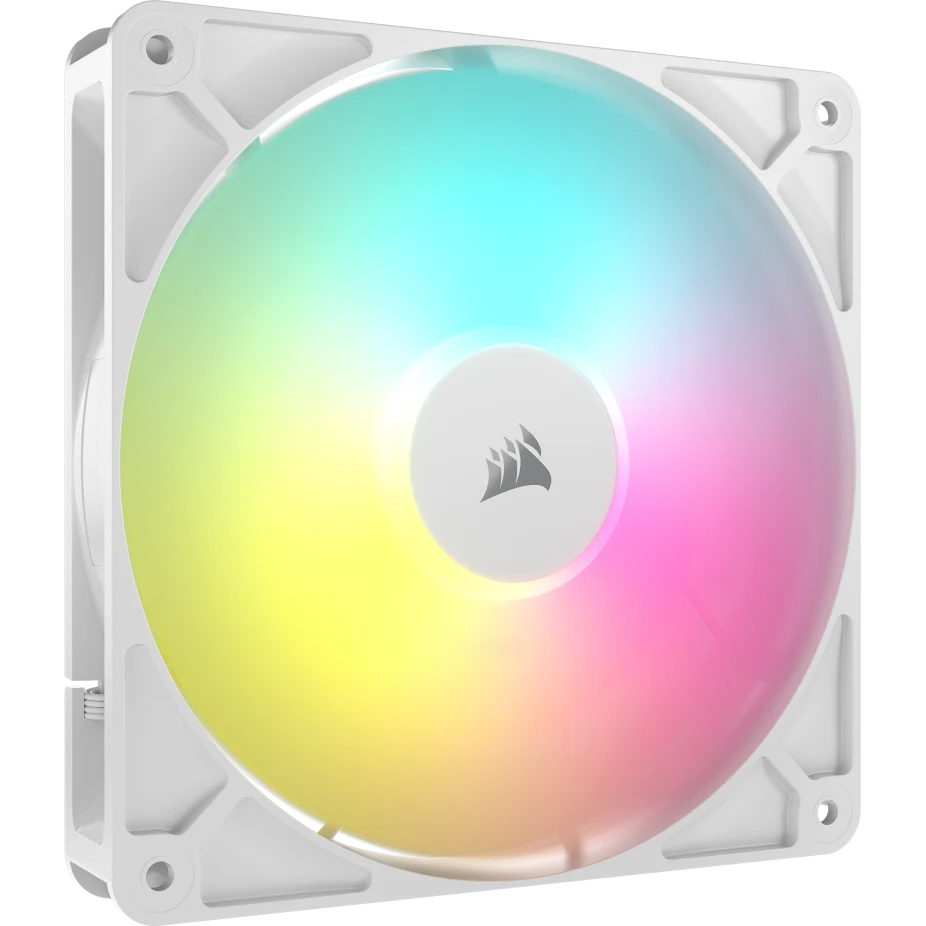
CORSAIR RS140 ARGB 140mm PWM Fan Review:
After testing the CORSAIR RS140 ARGB 140mm PWM Fan (White), I’m genuinely impressed with its balance of performance, aesthetics, and ease of use. The daisy-chain design makes cable management much simpler one PWM and one ARGB connection can handle multiple fans, which really cuts down clutter.
connecTIVITY:
One of its standout features is the daisy-chain connection system, which allows you to link multiple fans together using just one 4-pin PWM and one +5V ARGB connector. This makes installation and cable management incredibly easy and neat, especially in setups with multiple fans. I’d recommend taking a few minutes to plan your wiring beforehand, as that helps ensure a clean build and smooth installation.
performancE:
Performance-wise, this fan delivers up to 1,700 RPM with 95.5 CFM airflow and a static pressure of 3.46 mm-H₂O impressive numbers for its class. I noticed a clear improvement in cooling efficiency compared to my older fans; system temperatures dropped by a few degrees under heavy load. The Magnetic Dome Bearing design helps keep operation smooth and quiet, maintaining around 36 dBA even at higher speeds.
ARGB LIGHTINGS:
The ARGB lighting is another highlight each fan includes eight LEDs that produce vibrant, evenly diffused lighting. It synced effortlessly with my motherboard’s software and looks great without being overly flashy. Even after running for long hours, the fans remained quiet and stable, showing consistent performance.
final Verdict:
Overall, the CORSAIR RS140 ARGB is a solid choice for anyone looking to upgrade their cooling setup. It’s powerful enough for high-end CPUs and radiators, quiet enough for everyday use, and stylish enough to enhance any build. Whether you’re aiming for better thermals or a cleaner aesthetic, these fans deliver excellent value for the price.
CORSAIR RS140 ARGB 140mm PWM Fan (White)
The CORSAIR RS140 ARGB 140mm PWM Fan is a high-performance, low-noise cooling fan featuring daisy-chain connectivity, bright customizable ARGB lighting, and strong airflow ideal for both case and radiator setups.
✔ Pros
- Provides up to 95.5 CFM airflow and 3.46 mm-H₂O static pressure — ideal for both case and radiator cooling.
- Despite strong performance, noise levels stay around 36 dBA, making it relatively quiet even at higher speeds
- The daisy-chain connection allows you to link multiple fans using only one PWM and one ARGB connector, reducing clutter.
- The Magnetic Dome Bearing ensures long-lasting performance with minimal friction and vibration.
- Features eight addressable LEDs per fan, offering bright and customizable lighting that syncs with motherboard software.
- Clean, minimal aesthetic that fits perfectly in white or RGB-themed PC builds.
- Strong performance, build quality, and features at a reasonable price.
- Straightforward setup process; ideal even for beginners.
✘ Cons
- Can get a bit loud when running at full speed (around 1,700–1,800 RPM).
- Lighting won’t work unless your motherboard supports +5V ARGB.
5. Thermalright TL-C14C-S 140mm ARGB Fan:
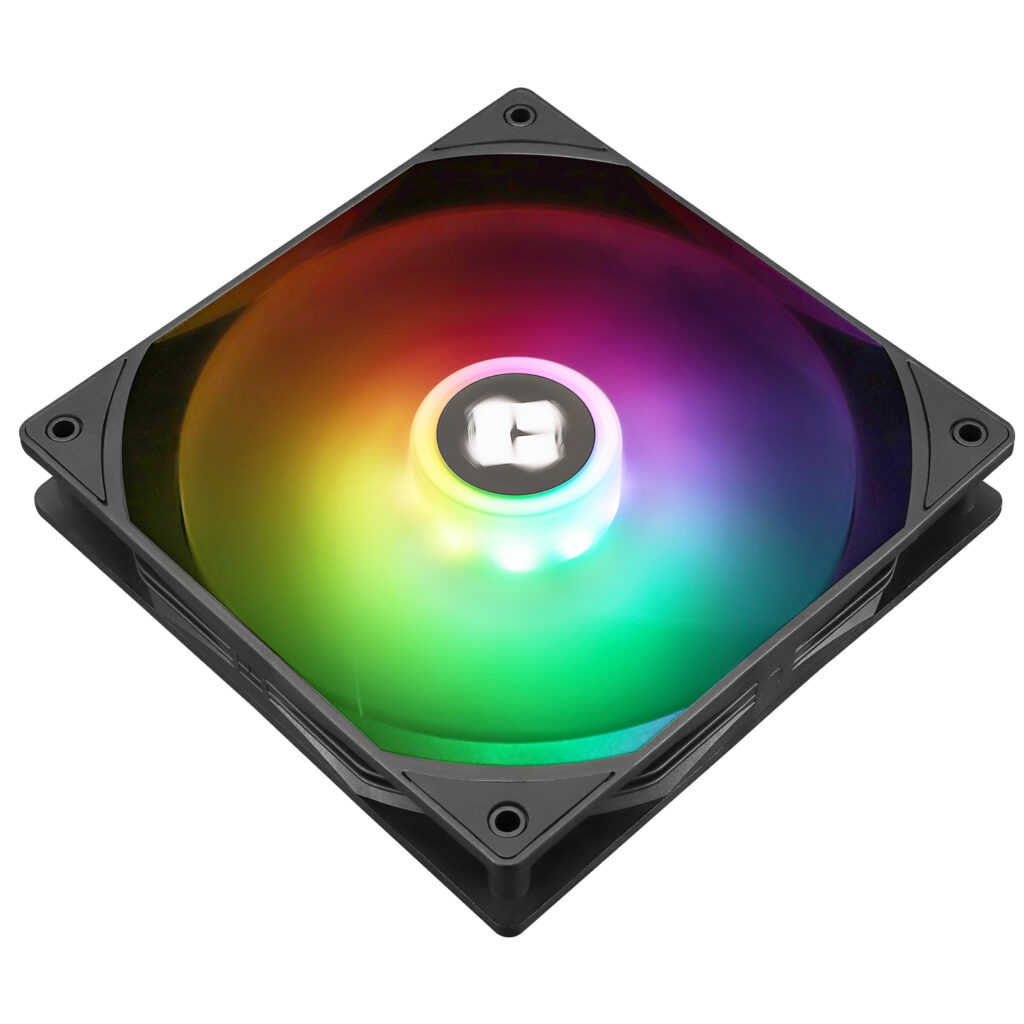
Thermalright TL-C14C-S 140mm ARGB Fan Review – The cheapest fans:
After testing the Thermalright TL-C14C-S 140mm ARGB fan, I can confidently say it delivers an impressive balance of cooling performance, build quality, and low noise, especially for its price point.
connectivity:
The fan uses a 4-pin PWM connector, allowing automatic speed control through the motherboard, and reaches up to 1500 RPM when needed. During my tests, the fan remained remarkably quiet, even under load — the rated 26.4 dBA seems accurate. Its S-FDB bearing ensures smooth operation and long life, and the noise-reducing 7-blade design helps maintain solid airflow without producing a distracting hum.
build quality:
Build quality is another highlight. Despite being made of plastic, the fan feels sturdy and well-finished. The matte texture, rubber vibration dampers at all corners, and overall attention to detail — from clean stickers to neatly tied cables — show that Thermalright put real care into the product.
ARGB LIGHTINGS:
Visually, the ARGB lighting is well-executed. The frosted fan blades diffuse light evenly, creating a soft glow rather than an overpowering brightness. The lighting is easily synchronized through the motherboard with support for up to 17 modes, making it a good fit for both minimalist and RGB-focused builds.
installation:
Installation was straightforward — the fans fit perfectly in standard 140mm mounts, can be daisy-chained, and were up and running within minutes. Cooling results were great too — my CPU stayed around 48°C under load, showing these fans can handle both case airflow and CPU cooler duty effectively.
At around $8 per fan, the TL-C14C-S offers exceptional value. It’s rare to find fans that perform this well, look this good, and run this quietly at such a low cost.
Final Verdict:
If you’re looking for affordable, quiet, and efficient 140mm fans with tasteful ARGB lighting, the Thermalright TL-C14C-S is an easy recommendation. It’s proof that you don’t have to spend a fortune to get premium-level cooling and build quality.
Thermalright TL-C14C-S 140mm ARGB Fan
The Thermalright TL-C14C-S 140mm ARGB fan offers quiet, efficient cooling with up to 1500 RPM, PWM control, and 17-mode ARGB lighting — all for an affordable price around $8, making it one of the best budget-friendly options for reliable PC cooling.
✔ Pros
- priced around $8, offering great performance for its cost
- runs smoothly at low noise levels (around 26.4 dBA), even at full speed
- Strong cooling performance — up to 1500 RPM with efficient 7-blade design and S-FDB bearing
- sturdy plastic frame with a nice matte finish and rubber vibration dampers at all corners.
- Attractive ARGB lighting — soft, evenly diffused illumination with up to 17 lighting modes, easily synchronized via motherboard.
- standard 4-pin PWM connector and daisy-chain support for quick setup.
- suitable for case airflow, CPU coolers, or radiators.
- Best performance at very cheap price
✘ Cons
- it’s not as premium-feeling as metal-framed fans.
- 1500 RPM may not satisfy users seeking extreme airflow or static pressure
- lacks extras like a controller or extension cables.
6. AsiaHorse Amici 140mm ARGB PC Case Fans:
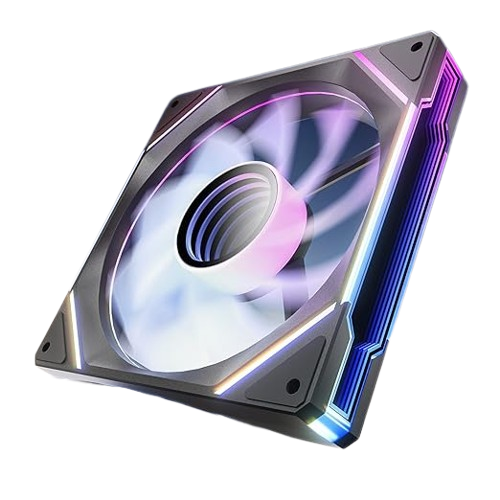
AsiaHorse Amici 140mm ARGB PC Case Fans review:
After testing the AsiaHorse Amici 140mm ARGB PC Case Fans, I’m genuinely impressed by how much value these deliver for the price. Installation was incredibly simple , the fans daisy-chain neatly, connect directly to motherboard ARGB and PWM headers, and require no extra controllers or adapters.
performance:
In terms of cooling, these fans deliver excellent airflow (up to 89.77 CFM) and strong static pressure, keeping my system cool even during heavy gaming sessions. The hydraulic bearings run smoothly and quietly, and I noticed minimal vibration or noise, even when the fans ramped up in speed. They strike a great balance between cooling power and silence.
Argb lightings:
The ARGB infinity mirror lighting is absolutely stunning, vivid, bright, and perfectly synced with motherboard software like Aura Sync and SignalRGB. The lighting effects look professional and give any build a premium aesthetic.They easily rival higher-end fans like Lian Li’s Infinity series but at a fraction of the cost.
Final Verdict:
Overall, the AsiaHorse Amici 140mm fans perform just as well as many high-end options but at a much lower price. They’re quiet, powerful, beautifully lit, and incredibly easy to install. If you want reliable cooling and eye-catching RGB without overspending, these fans are an easy recommendation.
AsiaHorse Amici 140mm ARGB PC Case Fans
The AsiaHorse Amici 140mm ARGB PC Case Fan features an infinity-mirror ARGB design with vibrant lighting and HDB bearings for quiet, long-lasting performance. It offers PWM speed control up to 2000 RPM, delivering strong airflow and smooth cooling efficiency.
✔ Pros
- Delivers up to 89.77 CFM airflow and solid static pressure, keeping system temperatures low even under heavy load.
- Runs smoothly with hydraulic bearings and produces only 6–30 dB(A), minimizing noise during gaming or work.
- Standard 4-pin PWM and 3-pin 5V ARGB connectors make setup quick and controller-free. Daisy-chaining keeps cable management clean.
- The infinity mirror effect and 24 ARGB LEDs offer vibrant, customizable lighting compatible with Aura Sync, Mystic Light, and RGB Fusion.
- Features a 50,000-hour lifespan and wear-resistant bearing design for long-term reliability.
- Comparable look and performance to premium fans (like Lian Li’s Infinity series) at a much lower price.
✘ Cons
- Uses a wired daisy-chain connection, not wireless or modular, which can limit flexibility in some builds.
- Recommended to chain only up to three fans per line for stable power and signal.
- Relies on motherboard ARGB headers—builders without them may need an adapter.
7. NZXT F280 RGB Core – 280mm Single-Frame Fan Unit with 2 x 140mm RGB Fans – Speed & Lighting Control – High Static Pressure & Airflow – Fluid Dynamic Bearings – 8 aRGB LEDs Per Fan:
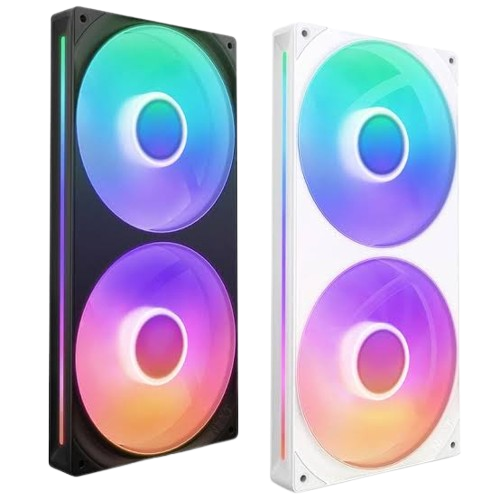
NZXT F280 RGB Fans Review:
After testing the NZXT F280 RGB Core in my PC, I was genuinely impressed by its cooling performance and clean design. The dual 140mm fans deliver excellent airflow (around 98 CFM per fan) and strong static pressure, which kept my CPU and GPU temps low even during stress tests. The noise level stayed very reasonable even at full speed (up to 2000 RPM), it never got loud, and running in the silent profile made it practically unnoticeable.
Installation and performance:
Installation was a breeze thanks to the single-frame, all-in-one design only four screws for both fans and minimal cabling made the process super clean. The fluid dynamic bearings ensure smooth, quiet operation with a long 60,000-hour lifespan. I also liked how easy it was to manage fan speed and lighting through NZXT CAM, though you’ll need an NZXT controller for full control, which should’ve been included..
Rgb lighting:
The RGB lighting looks beautiful, with eight aRGB LEDs per fan shining through the semi-translucent blades, but the “white” color leans a bit blue unless you adjust the hue in CAM. The side light bar isn’t independently controllable, but overall, the fans look sleek, not overly “gamery” and fit perfectly with NZXT’s modern aesthetic.
connectivity:
That said, the cables aren’t removable, so if one fails, you’d have to replace the whole set. Also, I wish the controller didn’t require a PCIe cable , SATA power would’ve been simpler.
final verdict:
After my full testing, I’d rate the NZXT F280 RGB Core 3.5 to 4 out of 5 great airflow, quiet performance, and stunning clean looks, but slightly held back by its controller dependency and non-removable cables. Still, it’s one of the best NZXT fans I’ve used and an excellent fit for anyone staying within the NZXT ecosystem.
NZXT F280 RGB Fans
The NZXT F280 RGB Core is a single‐frame dual-fan unit that uses two 140 mm fans to deliver strong airflow and static pressure, while offering vibrant addressable RGB lighting and simplified wiring for clean PC builds.
✔ Pros
- High static pressure and airflow (~98 CFM, 3.2 mmH₂O) keep system temps low, even under heavy load.
- Fluid dynamic bearings ensure smooth, silent running — around 34.5 dBA at max speed.
- Single-frame, all-in-one design uses only 4 screws for 2 fans, minimizing cable clutter.
- Sleek, modern look that pairs well with NZXT Kraken coolers and other NZXT gear.
- 8 individually addressable LEDs per fan with customizable effects through NZXT CAM.
- 60,000-hour lifespan and a 5-year warranty for long-term reliability.
- NZXT CAM provides intuitive fan and lighting control profiles
✘ Cons
- Requires the NZXT RGB controller for full CAM functionality
- Needs a PCIe power cable for the controller instead of standard SATA, which is less convenient.
- If one cable fails, the whole fan unit may need replacement.
- It may not fit in small cases, you may need a large case for it
Non- RGB fans:
1. ARCTIC P14 Slim PWM PST 140mm fan :
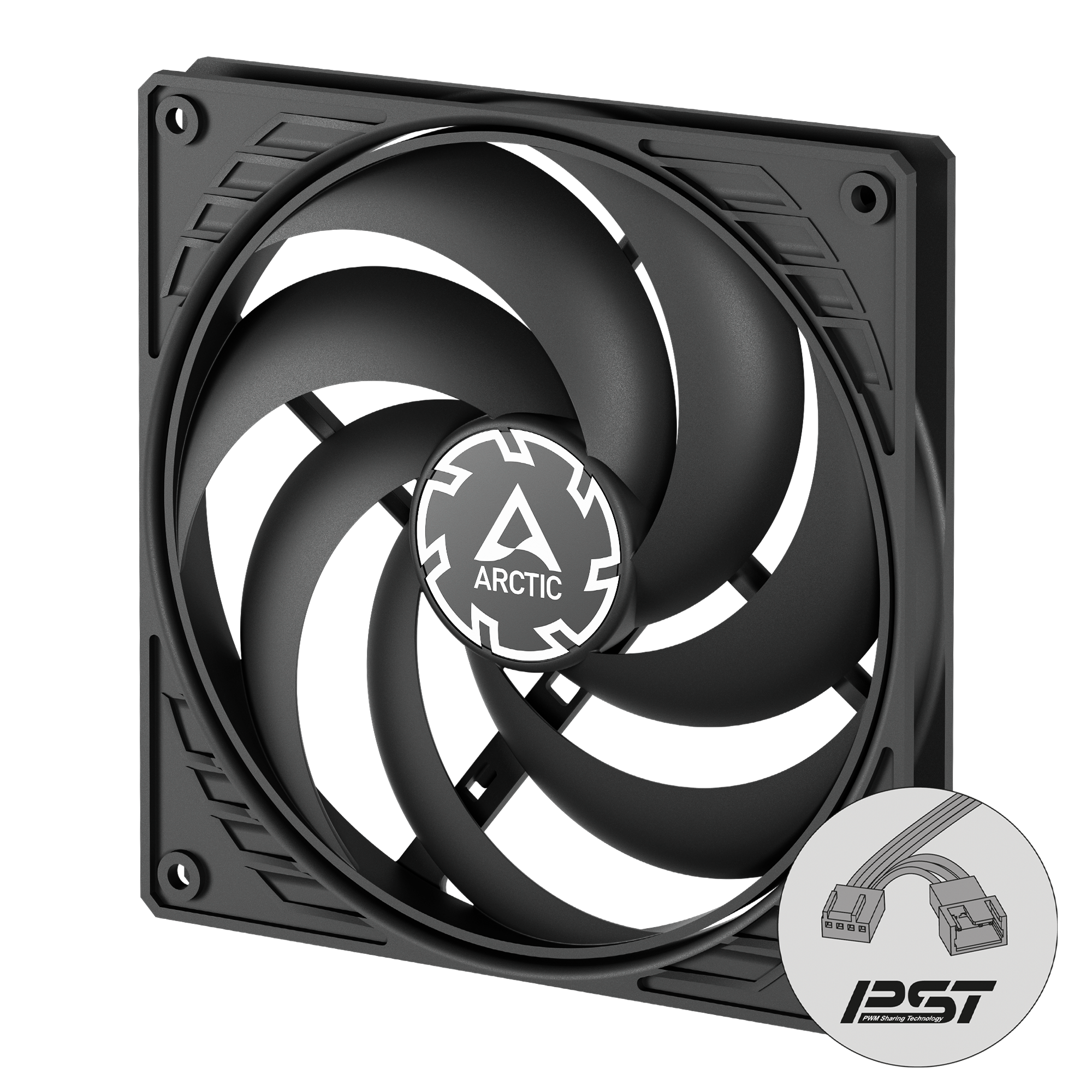
ARCTIC P14 Slim PWM PST 140mm fan review:
I recently tested the ARCTIC P14 Slim PWM PST 140mm fan, and overall, it’s a solid option if you need effective cooling in tight spaces. With an ultra-slim 16mm profile, it fits perfectly in small form factor cases like the Fractal Ridge, where standard 25mm fans simply won’t fit.
installation and performance:
Installation was straightforward, and the long cable made routing easy. The fan runs quietly even under load, thanks to its PWM control that adjusts the speed between 150 and 1800 RPM. Cooling performance is impressive for its size — it pushes a decent amount of air and maintains good static pressure, making it suitable for radiators or restricted airflow setups.
However, there are some downsides. The fan can wobble slightly at times, and I noticed a slow startup. The blade design is offset to one side, which might cause rubbing issues if used as a side intake, though using washers helped in my case.
final verdict:
In short, the ARCTIC P14 Slim PWM PST is a great value option for builds where space is limited. It’s not perfect, but it delivers strong airflow with low noise, especially considering the price. If you need a slim 140mm fan that performs quietly and efficiently, this one is worth considering.
ARCTIC P14 Slim PWM PST 140mm fan
The ARCTIC P14 Slim PWM PST 140 mm fan delivers strong airflow and high static pressure in a compact 16 mm profile—ideal for small builds or radiator setups—while running quietly thanks to its PWM control from 150–1800 RPM. Its installation was straightforward and cable routing was easy, making it a smart choice when space is tight.
✔ Pros
- Slim 16 mm profile fits easily in compact or small form factor cases.
- Strong airflow (up to 52 CFM) and good static pressure for efficient cooling.
- Quiet operation even at higher RPMs (0.3 Sone noise level).
- Strong airflow (up to 52 CFM) and good static pressure for efficient cooling.
- Easy installation with long cable and PWM speed control (150–1800 RPM).
- Excellent value for the price compared to premium brands.
✘ Cons
- Slight wobble and slow startup reported by some users.
- Offset blade design can cause rubbing issues when used as a side intake.
2. Noctua NF-A14 PWM chromax.black.swap 140mm fans :
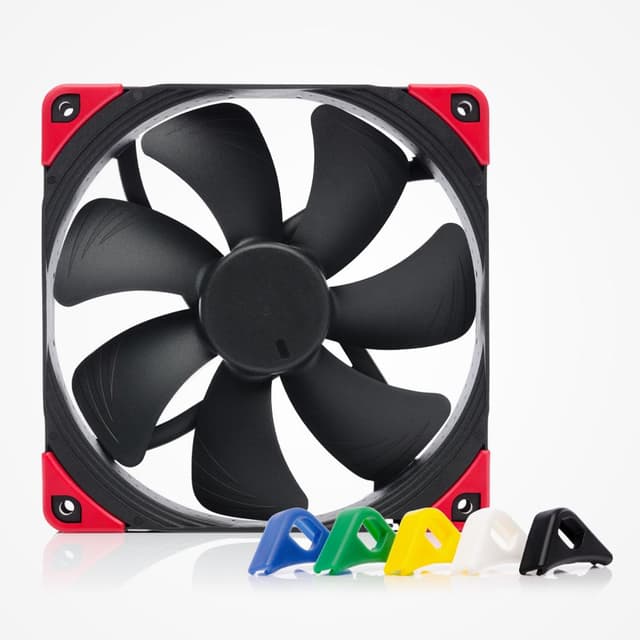
Noctua NF-A14 PWM chromax.black.swap 140mm fans review:
After testing the Noctua NF-A14 PWM chromax.black.swap 140mm fan, I can confidently say it lives up to Noctua’s reputation for premium quality, quiet operation, and efficient cooling. I originally bought these as replacements for older case fans, expecting only a slight improvement, but the performance genuinely exceeded my expectations.
build quality and performance:
Right out of the box, the build quality feels exceptional — solid and well-engineered. Once installed, the difference in noise levels was immediately noticeable. These fans are incredibly quiet, even when connected to PWM headers and running automatically based on system temperatures. They move a remarkable amount of air while keeping noise levels impressively low, maxing out at just 24.6 dB(A). In my setup, GPU temperatures even dropped a few degrees after installation, showing how effective these fans are at improving overall case airflow.
design:
The chromax.black.swap design is another highlight. The all-black finish looks sleek and professional, and the included swappable anti-vibration pads in multiple colors (red, white, blue, green, yellow, and black) make it easy to match different build themes. The vibration dampeners also help keep the fans quiet during operation. However, Noctua only includes four pads per color, which makes them visible on just one side — a small downside for those who want color accents on both sides.
While these fans don’t include extras like low-noise adapters or splitters (as some standard Noctua models do), their performance and design easily justify the premium price. You might want a PWM splitter or extension if your case is large, but otherwise, installation is straightforward.
Overall, the Noctua NF-A14 PWM chromax.black.swap is one of the best 140mm fans you can buy — perfect for both
Noctua NF-A14 PWM chromax.black.swap 140mm fan
The Noctua NF-A14 PWM chromax.black.swap is a premium 140mm fan offering exceptional airflow, whisper-quiet operation, and a sleek customizable design with swappable anti-vibration pads—perfect for high-performance, low-noise PC builds.
✔ Pros
- Extremely quiet operation even at higher speeds (max 24.6 dB(A))
- Excellent airflow and static pressure—great for both case and radiator use
- Premium build quality with long lifespan (>150,000 hours MTTF)
- sleek all-black design with customizable colored anti-vibration pads
- PWM control allows automatic fan speed adjustment for optimal performance
- Noticeable temperature improvements (GPU/CPU) after installation
- Effective vibration dampening for quieter performance
- Backed by Noctua’s 6-year warranty
✘ Cons
- Only four anti-vibration pads per color included (not enough for both sides)
- Lacks extra accessories like low-noise adapters and splitters
- quite expensive
Final Thoughts — Choosing the Right 140mm RGB Fan in 2025 & 2026
When it comes to cooling your rig, 140mm RGB case fans have reached new heights in both engineering and aesthetics. The key is to balance static pressure, airflow, noise control, and visual impact — not just pick the flashiest RGB ring on the market.
If you want top-tier cooling performance with ultra-smooth acoustics, the be quiet! Light Wings 140mm PWM High-Speed ARGB remains the enthusiast’s benchmark. Builders who love bold RGB and dependable performance will find the Cooler Master MF140 Halo to be a stunning centerpiece for any gaming PC. And if you’re optimizing for value without compromise, the SickleFlow 140 V2 ARGB delivers pro-level cooling at a surprisingly affordable price.
Ultimately, the best fan for your PC depends on your setup’s needs, airflow or static pressure, silence or spectacle. With the latest generation of RGB fans offering improved bearings, smarter lighting control, and daisy-chain convenience, upgrading your cooling system has never been more rewarding. Whichever fan you choose, you’ll enjoy not only cooler temperatures but a system that looks as powerful as it performs.
At PC Explorers, we’ve tested, compared, and researched each fan to ensure you’re getting not just specs — but real-world reliability. From budget-friendly airflow champions to premium silent performers, our list covers every type of builder in 2025 and beyond.
👉 Tip: Pair your chosen fans with a quality fan hub or controller for synchronized lighting and balanced RPM tuning — you’ll extend fan lifespan and get smoother RGB transitions.
Whether you’re chasing silence, airflow, or pure RGB brilliance, investing in a well-engineered 140mm fan isn’t just abo
✅ Quick Summary
If you’re in a hurry:
- Best Overall: Cooler Master MF140 Halo — balanced noise, airflow & RGB
- Best Performance: be quiet! Light Wings 140mm PWM HS ARGB
- Best Value: Cooler Master SickleFlow 140 V2 ARGB
📦 FAQ — 140mm RGB Fans (2025–2026)
Q1. Are 140mm fans better than 120mm?
Yes — generally, 140mm fans move more air at lower RPMs, meaning they’re quieter yet provide better cooling efficiency.
Q2. Can I mix RGB fans from different brands?
You can, but lighting control might require third-party software or a universal ARGB controller.
Q3. What’s the ideal number of 140mm fans in a PC case?
Most mid-tower builds perform best with 2–3 intake fans and 1–2 exhaust fans.
Q4. Do RGB fans affect PC temperatures?
RGB itself doesn’t generate noticeable heat; fan blade design and RPM determine temperature control.
Q5. Which brand makes the quietest 140mm fans?
The be quiet! Light Wings and Noctua NF-A14 are industry leaders in acoustic engineering.